
The Official Signal APK Filename, Decoded
Published: October 7, 2026 · Updated: October 8, 2026
The full filename
Here is the current official filename, exactly as it appears on Signal's download infrastructure:
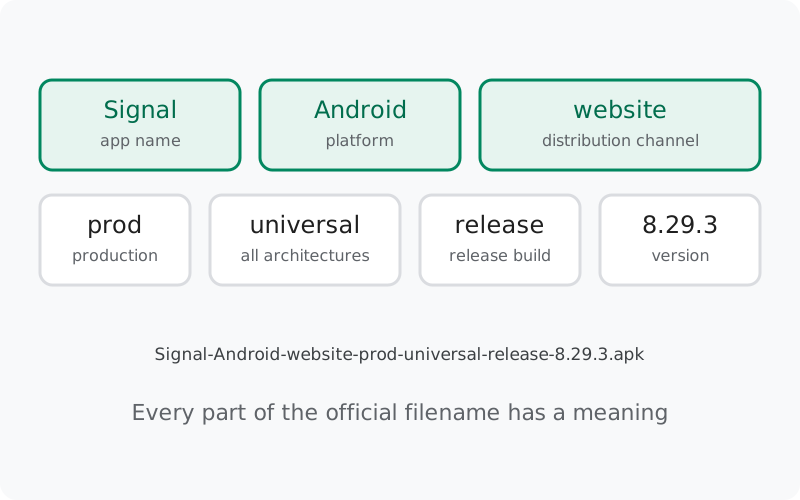
Seven parts, separated by dashes, plus the .apk extension. Each part describes the file. The diagram below shows the same breakdown visually.
You will see this name when you download from Signal's official download page. If the file on your phone has a different name, that is your first clue that it did not come from Signal. Most file managers show the full name in the download details, or when you long-press the file and open its properties.
Part by part
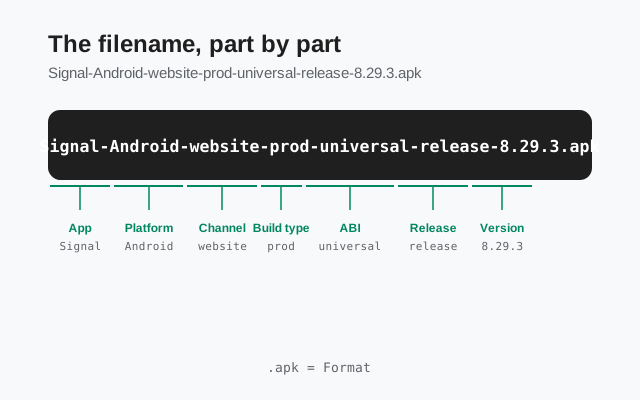
| Part | What it means |
|---|---|
| Signal | The app: Signal Private Messenger, by the Signal Foundation. Not a clone, not a "pro" edition, there are no official editions with other names. Anything calling itself Signal Pro or Signal Plus in a filename is fake; the Signal Pro scam guide covers those. |
| Android | The platform this file is built for. Signal also ships iOS and desktop apps, but this APK is Android-only. An APK file never installs on an iPhone. |
| website | The distribution channel. This is the build served from Signal's own website download page, as opposed to the Play Store build. The two channels are the same app, released and signed separately, see website APK vs Play Store build. |
| prod | Production. This is the finished, public, stable build, the one meant for everyday use. It is the opposite of a test or beta build. (The beta channel's pre-release builds are labeled separately on GitHub.) |
| universal | One file for every device architecture. Modern phones use 64-bit processors, older ones use 32-bit, and this single APK covers all of them. You never need to choose between an "arm64" and a "32-bit" Signal download, there is only one file. The universal APK guide explains how that works. |
| release | A release build: compiled and optimized for public use, as opposed to a debug build used by developers. Every build meant for users is a release build. |
| 8.29.3 | The version: major 8, minor 29, patch 3. This number moves with every release, so the filename you see today will differ from the one you see after the next update. The latest version guide tracks the current number. |
| .apk | The file type: an Android application package. This is the standard container Android uses to install apps. |
Why the filename matters for safety
The filename is a quick, free authenticity check you can do before installing anything. Here is how to use it:
- Compare it with the official page. The filename on Signal's download page is the reference. The version part (8.29.3) must match what the page currently serves. A file named for a version far ahead of the official page is fiction.
- Watch for wrong patterns. Real file, real pattern. Files named things like signal-pro.apk, Signal_Premium_2026.apk, or anything with "mod", "cracked", or "unlocked" are not official, no such editions exist. The fake Signal APK guide shows what to look for.
- Remember the filename is only the first check. A correct-looking name is necessary but not sufficient. The decisive check is the signature: verify the signing-certificate fingerprint against the one published on Signal's download page. The SHA-256 verification guide walks through it step by step.
Think of it this way: the filename tells you what the file claims to be. The signature tells you whether the claim is true. Check both.
The filename changes with every version
Only the version part moves. When 8.29.3 is replaced by a newer build, the new file will follow the exact same pattern with the new number in place of 8.29.3, same seven parts, same order. That predictability is useful: if a future download gives you a file with extra parts, missing parts, or a scrambled order, something is off.
One more detail: the website build and the Play build are different files with different signatures, and you cannot install one over the other. If you are switching channels, back up first, then uninstall, then install. The migration guide covers the safe procedure.
Three real filenames, piece by piece
The pattern is easier to trust once you have used it. Here are three situations and what the filename tells you in each:
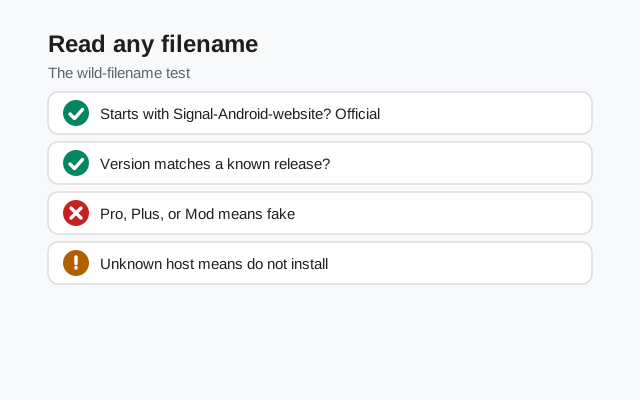
- You download from the official page and get Signal-Android-website-prod-universal-release-8.29.3.apk. Seven parts, correct order, version matching the page. This is the expected file. Install it, and still verify the signature if you want to be thorough.
- A friend sends you signal-8.29.apk over Bluetooth. Wrong pattern: missing the channel, build, and architecture parts, and the version is incomplete. Even if your friend means well, the file's history is unknown, it could be outdated, renamed, or tampered with. Decline it, download from the official page yourself, and see the verify-after-transfer guide for why re-checking matters.
- A website offers Signal-Pro-v9.1-unlocked.apk. Everything about this name is wrong: a "Pro" edition that does not exist, a version number ahead of the official page, and "unlocked", a word that never appears in official Signal filenames. Delete it. The Signal Pro scam guide explains this exact trap.
After a few of these, the check becomes automatic: glance at the name, compare the version part with the official page, and move on to the signature check.
The same pattern on older and newer versions
The seven-part pattern is stable across releases. An older official file would read Signal-Android-website-prod-universal-release-8.28.x.apk; a future one will read the same with a new number. Only the version part moves. That stability is what makes the filename a useful check: once you know the pattern, any deviation stands out immediately.
One exception to be aware of: beta and pre-release builds are labeled separately on GitHub and do not follow this exact consumer pattern. If you are in the beta program, expect different naming there, and get beta builds only through the official enrollment path, never from a file someone sends you.
What the filename does not tell you
The name describes the file; it does not prove it. Three things the filename cannot tell you:
- Whether the file is genuine. Anyone can rename a file. Only the cryptographic signature, checked against Signal's published fingerprint, proves authenticity.
- The package name. The app's internal package name is org.thoughtcrime.securesms. That lives inside the APK, not in the filename. Two files with the same name can carry different package contents, another reason to verify the signature.
- Whether it is the newest version. The filename tells you which version the file claims to be, not whether a newer one exists. For "what is newest", the official download page is the source of truth.
from Signal's official site, file hosted by Signal, not by us
Frequently asked questions
What is the official Signal APK filename?
Signal-Android-website-prod-universal-release-8.29.3.apk, the current website build. The version part changes with each release; the pattern stays the same.
What does "universal" mean in the filename?
One APK covers all device architectures (64-bit and 32-bit). There is no separate arm64 download to choose. See the universal APK guide.
What does "website-prod" mean?
"Website" is the distribution channel (Signal's own download page, not the Play Store). "Prod" means production: the finished, stable, public build.
My file has a different name. Is it fake?
Likely. Compare it with the filename on Signal's official page, then verify the signature with the SHA-256 guide. When in doubt, delete it and download from the official page.
Does the filename prove the APK is safe?
No. A name is a claim, not proof. The signature check against Signal's published fingerprint is the proof.
Why is the filename so long?
Each part exists so the file describes itself: which app, which platform, which channel, which build type, which architectures, which version. A long, precise name leaves no ambiguity about what you are installing, compare that with a vague signal.apk, which tells you nothing.
Can I rename the APK file?
Yes. Renaming does not affect installation, Android reads the package inside the file, not the name on it. But keep the original name until the app is installed, so you can compare it against the official page and spot anything unexpected first.
Related guides: all version guides · what "universal APK" means · APK build flavors explained · verify the SHA-256 fingerprint · spotting fake Signal APKs