
Signal APK: the independent verification guide
Published: October 7, 2026 · Updated: October 8, 2026
The safe source for the Signal APK is Signal's own page at signal.org/android/apk (current website build 8.29.3, package org.thoughtcrime.securesms). This guide shows how to verify the file before installing and walks you through installing it on any Android phone, with or without the Google Play Store. We never host APK files, never link mirrors, and never pretend to be Signal.
Every download button on this site links to signal.org. No mirrors, no re-uploads, no exceptions.
We teach you to check the SHA-256 signing fingerprint Signal publishes on its own download page.
There is no "Signal Pro", "Signal Plus", or "unlocked" APK. We warn you about the scams instead of selling them.
We are not Signal Foundation and not Google. Our only job is helping you install the real app safely.
Featured app
Start here
Which download route should you use?
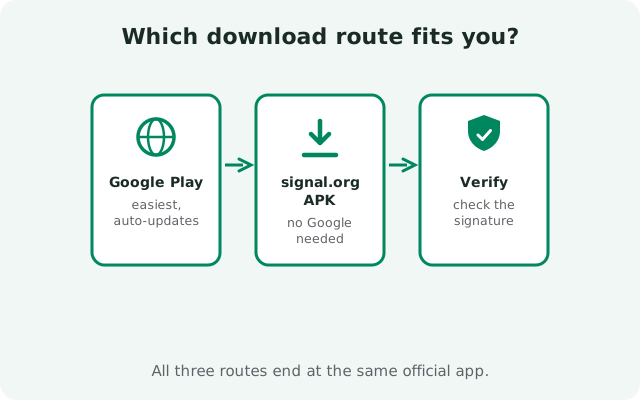
This is the single most important decision on this page. Signal ships two official builds of the same app, plus a world of unofficial copies you should avoid. Here is the honest breakdown:
| Route | What it is | Our verdict |
|---|---|---|
| Official APK page (signal.org/android/apk) | Signal's own website build, direct APK file, self-updates without the Play Store | Best if you have no Play Store: this is what this guide is about |
| Google Play Store | Signal's Play build, updates through Play, signed with a different key than the website build | Best if you have the Play Store: simplest and automatic |
| Third-party APK mirrors | Re-uploaded copies on sites Signal does not control | Avoid: the file may be outdated or tampered with; there is no reason to risk it |
| "Signal Pro / Plus" APKs | Mods claiming premium features | Scams: no official mod exists; these are malware bait |
Key detail most sites skip: the website build and the Play build are signed with different signing keys, so you cannot install one over the other. If you switch builds, back up your chats first, uninstall, then install the other build. Our install-without-Play guide covers the f
Every article on this site follows one rule: verified facts only. If a claim cannot be traced to Signal's own pages or to a check we ran ourselves, we say so. Here is how the guides are organized:
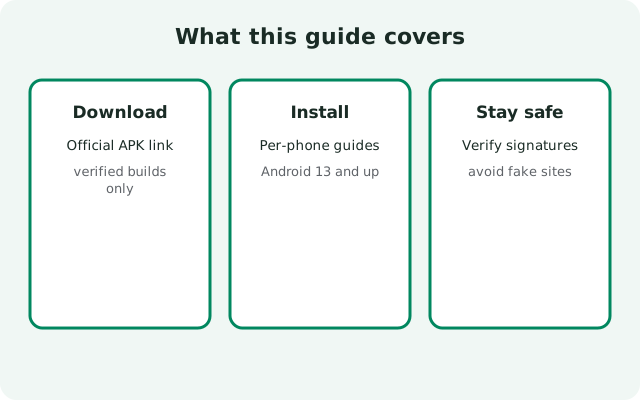
- Download: the official APK page, file details, version history, updates, and fixes for failed downloads.
- Install: per-brand install steps (Huawei, Samsung, Xiaomi, Pixel, and 20+ more), plus installing without Google Play.
- Safety: SHA-256 verification, spotting fake APKs, and the "Signal Pro" scam anatomy.
- Compare: website APK vs Play Store build, Signal vs WhatsApp vs Telegram, and the Molly fork explained.
- Backup: Secure Backups, on-device backups, and moving to a new phone.
- Troubleshoot: notifications, calls, registration, and update problems, each with a real fix.
If you are new here, start with the official Signal APK download page, then follow the no-Play-Store install walkthrough if your phone lacks Google services.
Frequently asked questions
Where can I download the official Signal APK?
From Signal's own page: signal.org/android/apk. That page offers the current website build (8.29.3) as a direct APK file, plus the SHA-256 signing-certificate fingerprint so you can verify the download. We link to that page from every download button on this site. We never host the file ourselves.
Is this site official?
No. This is an independent verification guide. We are not affiliated with Signal Foundation or Google, we do not host APK files, and we never claim to be official. The full disclaimer is in the footer of every page.
Can I install the Signal APK without the Google Play Store?
Yes. That is exactly what the website build is for: it installs like any APK and updates itself without Play. Our master install guide covers every major Android brand, including Huawei phones without Google services.
Will the APK version install over my Play Store version?
No. The website build uses a different signing key than the Play build, so Android blocks installing one over the other. Back up your chats, uninstall the old build, then install the new one.