
Latest Signal Version: Everything About the Current Build
Published: October 7, 2026 · Updated: October 8, 2026
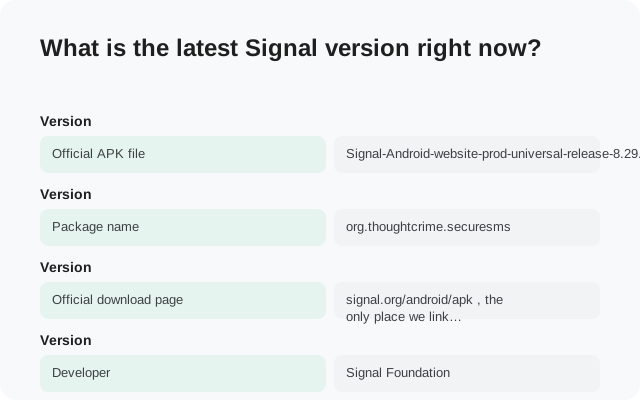
What is the latest Signal version right now?
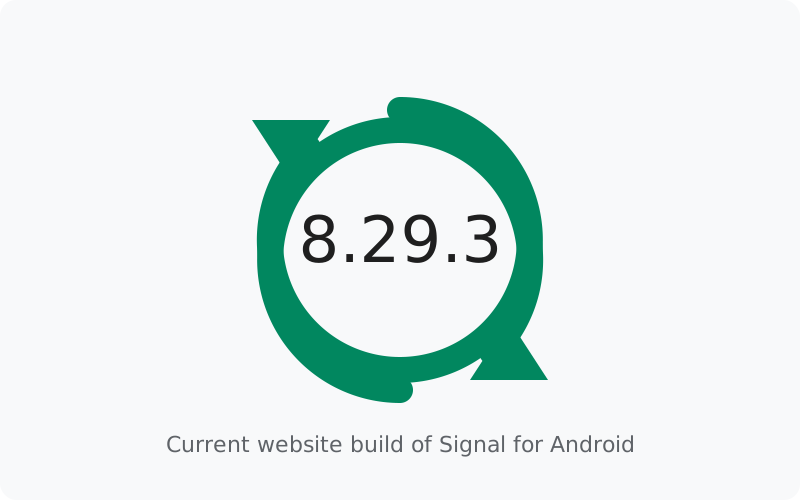
The current website-build version is 8.29.3. Here are the verified facts about this build, all of which you can confirm on Signal's official pages:
| Version | 8.29.3 (website channel) |
|---|---|
| Official APK file | Signal-Android-website-prod-universal-release-8.29.3.apk |
| Package name | org.thoughtcrime.securesms |
| Official download page | signal.org/android/apk, the only place we link for downloads |
| Developer | Signal Foundation |
| License (client) | AGPLv3, the code is open source |
Two warnings come with any "latest version" page, including this one. First, this is a snapshot. Signal ships updates regularly, and by the time you read this, a newer build may exist. Second, any third-party site that lists a version far ahead of Signal's own download page is not showing you the future. It is showing you fiction, and its download button is showing you risk.
What's in the current build?
Version 8.29.3 sits at the end of the 8.29 line, so it carries everything 8.29.0 introduced plus the bug fixes from the patches in between. The officially documented 8.29 highlights are:
- A redesigned media editor. Signal rebuilt the editor so it works well on tablets and foldable phones, and looks good on screens of all sizes, in the official release notes' words.
- One-tap audio removal from videos. Before sending a video, you can strip out its audio track. Handy when the footage is fine but the background noise is not.
The patch builds (8.29.1 through 8.29.3) were tagged on GitHub without published notes, which is normal for bug-fix releases. Signal publishes notes for the feature release and ships the small fixes quietly. For the fuller story of this release line, see what's new in Signal 8.29, and for the longer view, the Signal Android version history.
How to check which version you have installed
You can see your installed version inside the app. Open Signal, go to Settings, and look in the help or about area, the version number is shown there. Compare it with the current build above.
If your number is lower than 8.29.3, you are behind. That is not an emergency, but it is worth fixing the same day, because updates carry security fixes. If your number is higher than anything on Signal's official download page, stop and think: the official page is the source of truth. A higher number from anywhere else means the app did not come from Signal.
One subtlety: the version in your app and the version on the website can disagree slightly even when both are genuine. That is the two-channel effect explained below, not a problem.
Where to check for updates, ranked by trust
Not all "new version" claims are equal. Here is where to look, in order:
| Source | What it tells you |
|---|---|
| 1. Signal's download page | The current website-build version, straight from Signal. This is the source of truth. signal.org/android/apk |
| 2. The app itself | The website build checks for its own updates and offers them in the app. If it offers you an update, that offer is genuine. |
| 3. Official GitHub releases | Every tagged build, including pre-release beta builds, on signalapp/Signal-Android. Technical, but complete. |
| 4. The official blog | Feature announcements and the thinking behind big changes: signal.org/blog. Note that the blog does not announce every version. |
| Do not trust | APK mirror sites, "new version" news posts with download buttons, Telegram channels pushing update files, and any page listing a version ahead of the official page. |
The pattern to remember: official channels inform you, and then you download from the official page. Any site that reverses that order, announcing and hosting the file, deserves suspicion. The mirror warning guide explains why third-party copies are risky even when the version number looks right.
Website build vs Play build: two version numbers
Signal ships two Android builds: the website APK and the Play Store app. They contain the same Signal, but they are released through different channels, signed with different keys, and versioned separately. That is why your friend on the Play build can show a slightly different version number than your website build while both of you run the same features.
The different signing keys have one practical consequence you should know: you cannot install the website build over the Play build, or the other way around. Switching channels means backing up, uninstalling, and reinstalling. The full comparison is in website APK vs Play Store build, and the safe switching procedure is in the Play-to-website migration guide.
How the website build updates itself
The website build does not need the Play Store, so it handles updates on its own. It checks for new versions and offers the update inside the app. Accept it, and the new build installs over the old one, keeping your chats. This is the normal, intended path, and for most people it means staying current takes one tap.
If the in-app update ever stalls, the fallback is simple: re-download from the official page and install over your current build. Because both files carry the same signature, the install succeeds and your data stays put. The update guide covers this step by step, and the stuck-on-an-old-version fix covers the cases where updates refuse to arrive at all.
One more officially documented tip: Signal's own Android release notes recommend the Obtainium app for automatic updates of the website build. If you sideload and want updates without thinking about them, that is the route Signal itself points to.
What if you're several versions behind?
Finding yourself three or four versions behind is common, especially on phones where the Play Store updates are paused or the website build's update prompt was dismissed one too many times. The fix is the same as always: update to the current build. You do not need to install the missing versions one by one. Signal's updates are cumulative, the newest build contains everything the skipped ones had.
There are two things to check first. Make sure your backup is current, because a big version jump is exactly the moment you want a safety net. And make sure you are updating from the right channel: the website build updates to the website build, the Play build updates to the Play build. If you accidentally install the other channel's file, Android will refuse with a signature error, which is the system protecting you, not a bug. The install-conflict guide explains that error and the fix.
If the update simply will not arrive, no prompt, no Play Store update, nothing, the stuck-on-an-old-version fix walks through the causes in order, from paused auto-updates to a stalled rollout.
When should you update?
The same day the update is offered. That is the whole advice. Updates are how security fixes reach you, and "it still works" is not a reason to run a build with known bugs. Make it a habit: when Signal offers an update, install it before you forget.
The one exception is the beta channel, where updates can occasionally break things. That is the point of a beta. If you want early features and can tolerate rough edges, the Android beta program explains how to join. Everyone else should stay on stable and update promptly.
from Signal's official site, file hosted by Signal, not by us
Frequently asked questions
What is the latest Signal version for Android?
8.29.3 is the current website build. Confirm it on Signal's official download page before trusting any other source.
Why does my version differ from the official page?
Rollouts happen in stages, so your turn may not have come yet. Or you may be on the Play build, which is versioned separately from the website build. See why the versions differ.
Is it safe to update from inside the app?
Yes. The website build's in-app update is the official mechanism, and the update carries the same signature as your installed build.
A site lists a newer version than signal.org. Should I download it?
No. The official page is the source of truth. A "newer" version anywhere else is unverified at best. See the mirror warning.
How do I get notified about new versions?
The website build notifies you in the app. You can also watch the official GitHub releases. Signal's release notes also recommend Obtainium for automatic updates.
Related guides: all version guides · full Android version history · the 8.29 highlights · join the beta channel · official download page guide