
Signal 8.29 Update: What's New and How to Get It
Published: October 7, 2026 · Updated: October 8, 2026
What's new in Signal 8.29 (official changelog)
Signal's official release notes for version 8.29.0 list two highlights. Here they are, in plain words:
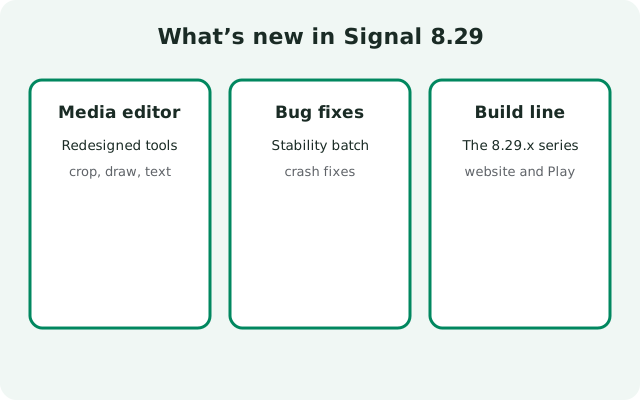
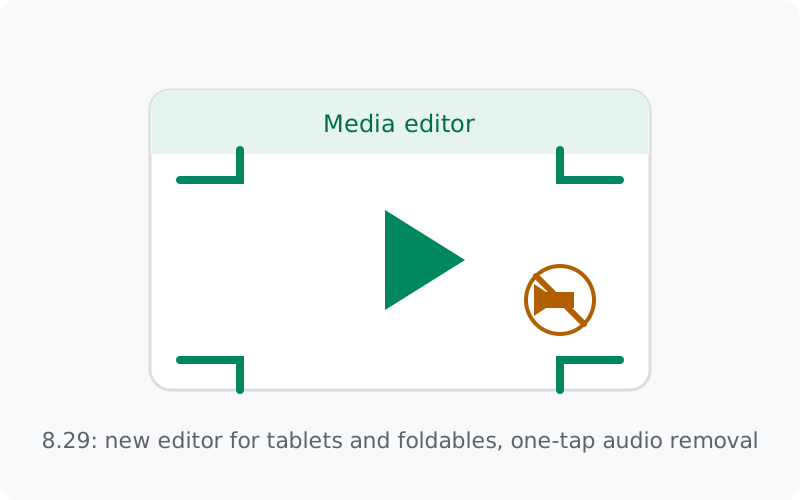
- A rebuilt media editor. The editor you use to crop, draw on, and caption photos and videos was redesigned from the ground up. The goal, in the release notes' words, is an editor that supports tablets and foldable devices properly and looks good on screens of all sizes. If you edit media on a large screen, this is the release you will feel.
- Remove audio from videos before sending. The new editor lets you strip the audio track out of a video with one tap. The footage goes through; the sound does not. It is a small option with obvious uses: background conversations, wind noise, or anything you would rather not share.
That is the complete official changelog for 8.29.0. Signal's release notes are short by design: they announce what is new and skip the rest. Bug fixes, performance work, and small polish ship without fanfare, which is why the notes fit in a paragraph.
The 8.29.x build line
Version numbers tell a story if you read them right. Here is the 8.29 line as officially documented:
| Build | What is officially known |
|---|---|
| 8.29.0 | Feature release. Redesigned media editor for tablets and foldables; one-tap audio removal from videos. Documented in the official GitHub release notes. |
| 8.29.1 – 8.29.2 | Patch builds. Their GitHub pages repeat the 8.29.0 media-editor note rather than carrying separate patch notes. |
| 8.29.3 | Current website build. Also tagged without published notes. This is the build served on Signal's official download page. |
The honest version of "what changed in 8.29.3": Signal did not publish notes for it, so nobody outside Signal can say precisely. Patch builds fix bugs and close small issues; they do not add features. If you need the newest details, the official GitHub releases page is where new tags appear first.
Who gets what: website build vs Play build
The 8.29 features reach both Android channels, the website APK and the Play Store app, because both are the same Signal. But the two channels are released and versioned separately, so the exact build number on your phone can differ slightly from the 8.29.3 on the website and still be the same 8.29 feature set.
Do not chase a matching number across channels. If your app has the redesigned media editor and the audio-removal option, you have 8.29, whatever the third digit says. The full explanation is in the guide on why the APK and Play versions differ.
How to get 8.29
Most people do not need to do anything special. The path depends on which build you run:
- Website build: the app checks for its own updates and offers them inside the app. Accept the offer and 8.29 installs over your current build, chats intact.
- Play build: update through the Play Store like any other app.
- Manual route: download from Signal's official download page and install over your current website build. Same signature, so your data stays.
Before any update, make sure your backup is current. Updates are safe, but a backup is cheap insurance and takes a minute. The Android backup guide shows the options, and the update walkthrough covers the manual path step by step.
The new media editor, up close
The media editor is the screen you see after you pick a photo or video and before you hit send: crop, rotate, draw, add text, caption. In 8.29 it was rebuilt for a world where Signal runs on more than phones. Tablets and foldables have unusual screen shapes, and the old editor was designed when phones were the whole story.
What changes in practice: the editor now adapts to large and folding screens instead of stretching a phone layout across them, and the tools stay usable whether the device is folded, unfolded, or in between. The audio-removal option sits in the video editing flow: one tap, and the video sends silent.
None of this changes how your messages are encrypted or stored. It is a better workshop for the same secure messenger. If you want the longer view of how the app reached this point, the Android version history puts 8.29 in context.
8.29 in context: what came before and after
Releases make more sense in sequence. Before 8.29 came 8.28, which introduced the Signal Login beta, the option to register without a phone number. Before that, 8.20 brought linked Android phones and tablets with a better large-screen interface. So 8.29's media editor redesign continues a thread: Signal spending real effort on tablets, foldables, and large screens across several releases.
That thread matters because it tells you where the app is heading. When several releases in a row improve the large-screen experience, it is not a coincidence, it is a direction. If you use Signal on a tablet, the 8.20-to-8.29 stretch is the period when the app started taking your screen seriously.
For what comes after 8.29, this guide follows the same rule as the rest of the site: only officially documented information. Newer builds will get their own coverage once their notes are published. The Android version history keeps the longer timeline.
How to confirm you have 8.29
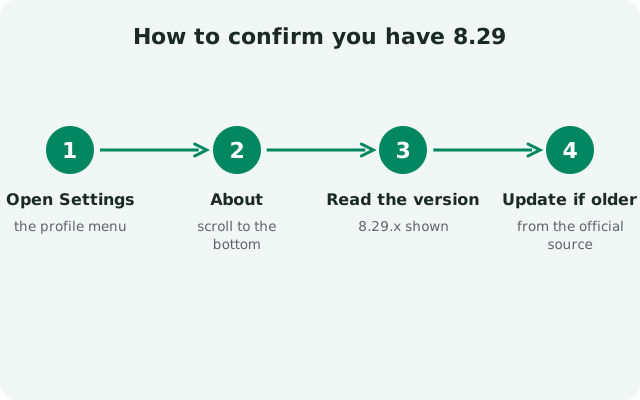
Two checks, thirty seconds. First, look at the version number inside the app (Settings, in the help or about area). If it reads 8.29.x, you have it. Second, open the media editor: pick a photo or video in any chat, tap the edit option, and look at the layout. The redesigned editor is visibly different on tablets and foldables, and the video flow includes the audio-removal option. If both checks pass, you are on 8.29 and there is nothing more to do.
If the version number says 8.29 but the editor looks unchanged on your phone, that is normal too. Phone layouts changed less than tablet layouts in this release, the redesign's biggest wins are on large screens. The features are there; they just look most different where the old editor struggled most.
Should you update to 8.29?
Yes. The advice is the same for every release: install the update the day it is offered. Updates are how security fixes reach you, and the 8.29 line is the current, supported release. Running an older build because "it still works" means running known bugs.
If something goes wrong after updating, the app will not open, the update stalls, a feature misbehaves, do not panic and do not hunt for old APKs. The update-failed fix covers stalled updates, and the stuck-on-an-old-version guide covers updates that never arrive. Both start with the same first step: back up.
from Signal's official site, file hosted by Signal, not by us
What is new in the Signal 8.29 update?
Officially: a redesigned media editor for tablets and foldables, and one-tap removal of the audio track from videos. The 8.29.1 and 8.29.2 tags repeat the 8.29.0 note; 8.29.3 is a tag with no notes of its own.
What is the newest 8.29 build?
8.29.3, the current website build. Confirm on Signal's official download page.
Is 8.29 available on the Play Store too?
The 8.29 features reach the Play build as well, though its exact build number can differ from the website build's. Same features, different channel numbering.
Where is the official 8.29 changelog?
On the official GitHub releases page, under the v8.29.0 tag. The patch tags repeat that note instead of carrying notes of their own.
Do I need to update to 8.29 manually?
Usually not. The website build offers the update in the app, and the Play build updates through the Play Store. Manual download from the official page is the fallback.
Will 8.29 work on my old phone?
8.29 installs on any Android version Signal currently supports. If your phone is very old, check the Android support timeline before updating, Signal drops the oldest Android releases over time, and an unsupported phone will not get new versions at all.
Related guides: all version guides · check the current build · where 8.29 fits in history · try features early in the beta · how updates work