
How Signal's Android Support Changes Over Time
Published: October 7, 2026 Updated: October 8, 2026
Why support for old Android ends
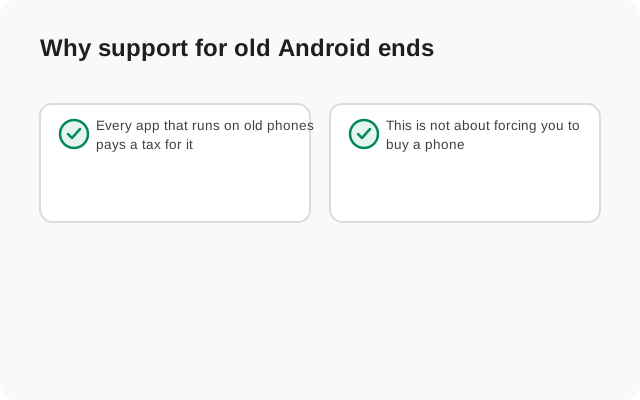
Every app that runs on old phones pays a tax for it. Newer Android versions offer better security primitives, better battery management, and better tools for developers. Old versions eventually stop receiving security patches from Google itself. At some point, keeping a ten-year-old Android release working means either holding back features for everyone or maintaining two versions of the app. Every serious app eventually chooses to move on, and Signal is no exception.
This is not about forcing you to buy a phone. It is about the floor moving slowly upward while nobody is watching, until one day your updates stop arriving and you wonder what happened. This page exists so that day is not a surprise.
The timeline, in eras
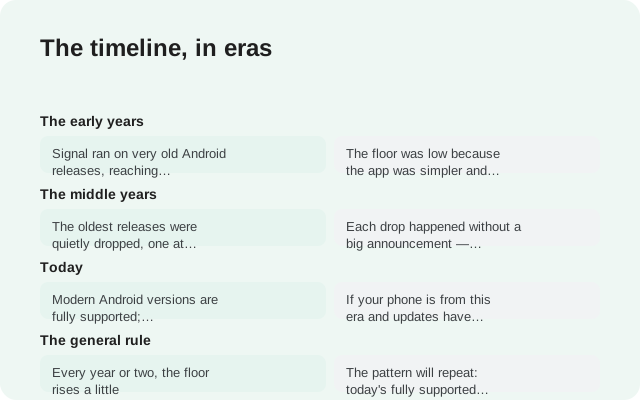
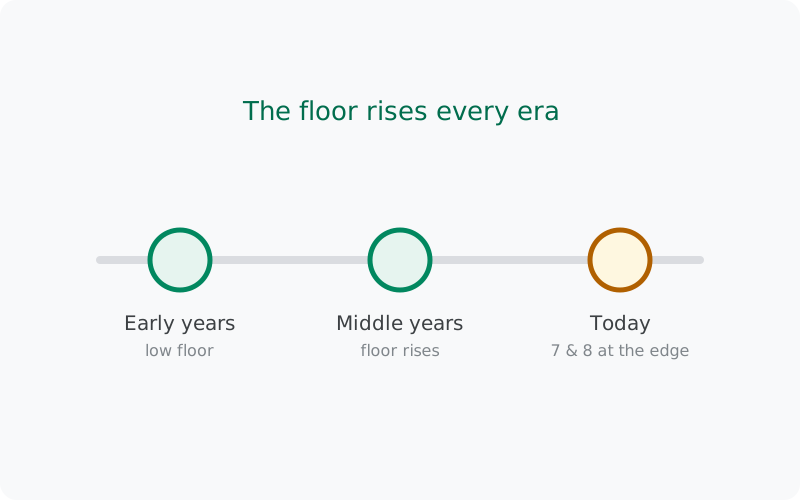
Signal has never published a table that says "Android X loses support on date Y," so anyone who shows you exact cutoff dates is guessing. What we can describe honestly is the pattern, because it has repeated for years:
| Era | What support looked like | What changed |
|---|---|---|
| The early years | Signal ran on very old Android releases, reaching back to phones most people had already replaced | The floor was low because the app was simpler and old phones were still common |
| The middle years | The oldest releases were quietly dropped, one at a time, as new Signal versions required newer Android features | Each drop happened without a big announcement. Updates simply stopped arriving on the oldest phones |
| Today | Modern Android versions are fully supported; phones from the Android 7 and 8 era still run current builds | These versions sit just above today's floor, so they are next in line when it rises. See the Android 7 and 8 plan-ahead guide for what that means |
| The general rule | Every year or two, the floor rises a little | The pattern will repeat: today's fully supported versions are tomorrow's borderline ones |
Notice what this timeline does not do: it does not name a minimum version number or a date. Those details live with Signal and change over time. Our minimum-Android-version guide tracks the current requirement. Check it rather than memorizing a number from any page, including this one.
Why the floor keeps rising: the technical reasons
The era table above describes what happens. This section explains why it keeps happening, because understanding the reasons makes the pattern predictable. Predictability is the whole point of this page.
New Android APIs
Each Android release gives developers new tools: better encryption hardware support, better background-task controls, better media handling. At some point a feature Signal wants to build simply requires an API that doesn't exist on old Android. The team then faces a choice: skip the feature for everyone, or build it twice (once the modern way, once hacked onto the old way). Doing things twice doesn't scale, so the old way eventually gets cut.
Security baselines
Signal is a security product first. Old Android versions lack modern protections (verified boot chains, stronger sandboxing, current TLS stacks), and Google no longer patches them. Supporting an unpatched OS means either accepting weaker guarantees for those users or carrying custom workarounds forever. Neither is sustainable for a small team.
Testing cost
Every Android version Signal supports is a version it must test against: install flows, upgrades, edge cases. Each old version kept alive multiplies the test matrix. Dropping the oldest releases is partly about focus: fewer versions to test means better quality on the ones that remain.
The user base moves on
This is the quiet driver. As old phones get replaced, the share of users on ancient Android shrinks to a fraction of a percent. At some point the engineering cost of supporting them exceeds any plausible benefit. That's when the floor moves. It is not personal; it is arithmetic.
None of these forces will reverse. If anything, they accelerate: security expectations rise, APIs advance, and the test matrix only grows. So the honest forecast is that the floor will keep rising at roughly the pace it always has. That is exactly why checking your position on it matters more than memorizing today's number.
How to check if your device is still supported
There is no support-status page to look up. Instead, use these practical tests, in order:
- Check your Android version. On your phone, go to Settings > About phone and read the Android version. Then compare it with the current requirement in our minimum-version guide. If you are below it, you have your answer.
- Try installing the current build. Download the newest APK from Signal's official APK page and try to install it. If the installer refuses with a compatibility message, the floor has moved past your phone. (Back up first if you are replacing an existing install; the backup guide covers it.)
- Watch for the silence. If you are above the minimum and updates still stopped arriving months ago while others moved on, work through the stuck-on-an-old-version guide: that is a different problem with different fixes.
The install test is the honest one. Support is ultimately a fact about what installs and updates, not about what a page says.
What "unsupported" means in practice
"Unsupported" sounds dramatic, but the reality is gradual. Here is what actually happens, in the order it usually happens:
- New builds stop arriving. This is the first and most visible sign. Your app stays on the last version it received.
- Security fixes stop with them. Every future vulnerability fix goes only into builds you cannot install. The app you have keeps whatever holes it had.
- Features degrade over time. Server-side changes keep moving forward. Calling, stickers, stories: things that depend on the server can start misbehaving on very old builds months or years later.
- The app itself keeps opening. Nothing shuts off on a timer. An unsupported phone's Signal usually keeps working on its last build for a long time: just frozen, and slowly rotting at the edges.
So "unsupported" does not mean "dead tomorrow." It means "no longer maintained." The gap between those two states is where the real decision lives.
Your options on an unsupported phone
Once you have confirmed your phone is below the floor, you have three honest options:
- Stay on the last working build, with eyes open. The app keeps working for now. You accept frozen security and gradual feature decay. This is reasonable as a bridge (a few months while you plan) and risky as a permanent plan.
- Upgrade the phone's software. A custom ROM can bring a newer Android to an old phone. Our custom-ROM install guide walks through what that involves. It is real work, with real risks, and it is not for everyone.
- Move to a newer phone. The cleanest fix. Move your chats with a proper backup. The phone-transfer guide covers the move step by step, and your 64-character recovery key is the thing that makes it possible.
If your phone runs Android 7 or 8 specifically, the dedicated Android 7 and 8 guide goes deeper on each option, including what staying put really costs you.
from Signal's official site, file hosted by Signal, not by us
Frequently asked questions
Does Signal publish an official end-of-support date?
No. Signal does not maintain a dated support calendar. Support ends quietly when new builds stop being offered to an Android version. That is why this page describes the pattern rather than inventing dates.
What Android version does Signal need today?
That number changes over time, so we track it on a dedicated page instead of printing it here: see the minimum-Android-version guide for the current requirement.
My phone stopped getting updates. Is it unsupported?
Possibly, but check the other causes first. Work through the stuck-on-an-old-version guide to rule out stalled updates, then use the install test on this page: if the current official APK refuses to install, your phone is below the floor.
Will Signal stop working suddenly on my old phone?
No. There is no kill switch. The app keeps opening on its last build; what stops is new builds, security fixes, and eventually some server-dependent features. The decline is gradual, not sudden.
Does the website APK build support older Android than the Play build?
No. The support floor belongs to the app itself, not to where you downloaded it. Both channels serve the same app with the same requirements. The download source doesn't change which Android versions can run it.
Related guides: all version guides · Android 7 and 8 plan-ahead guide · current minimum Android version · stuck on an old version · moving Signal to a new phone