
Signal's Version Numbers, Decoded
Published: October 7, 2026 · Updated: October 8, 2026
What each part of a version number means
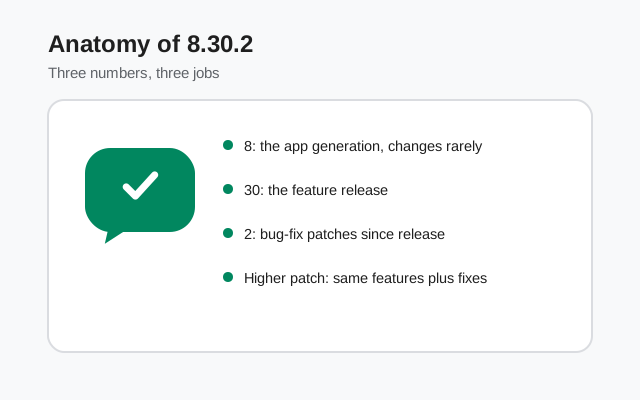
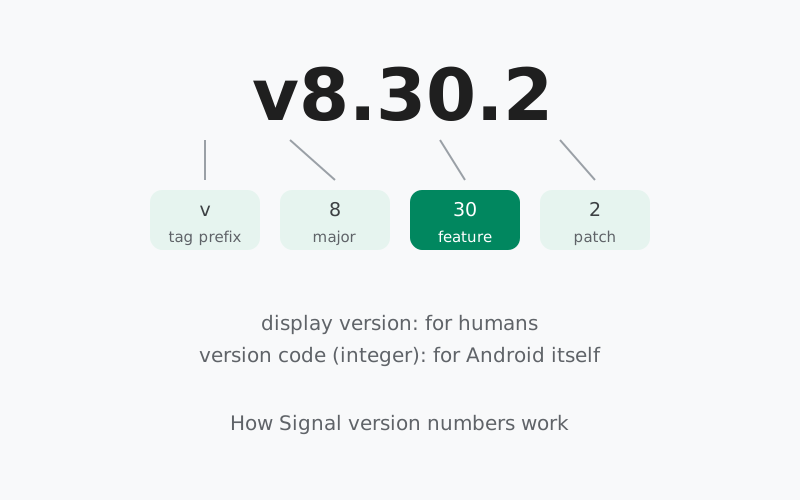
Take 8.30.2, the newest Android tag at the time of writing. It breaks into three parts:
| Part | Example | What it means |
|---|---|---|
| Major | 8 | The generation of the app. Signal Android has been on 8.x for a long stretch; the number changes rarely and means little day to day. |
| Minor | 30 | The feature release. A new minor version usually brings the headline change: 8.28 brought the signup beta, 8.29 the media editor, 8.30 the keyboard. |
| Patch | 2 | Bug-fix builds since the feature release. 8.30.0 was the feature release; 8.30.1 and 8.30.2 are patches. Patches fix bugs and never add features. |
Two practical rules follow. First, when someone asks "do you have 8.30?", the first two numbers are the answer. 8.30.0, 8.30.1, and 8.30.2 are all "8.30" in the sense that matters: same features. Second, a higher third number is always better within the same line. 8.30.2 contains everything in 8.30.1 plus fixes.
Display version vs version code
The number you see, 8.30.2, is the display version. It exists for humans. Underneath it, every Android app carries a version code: a plain integer that must go up with every release. Android itself uses the version code to decide whether an install is an update, a downgrade, or the same build.
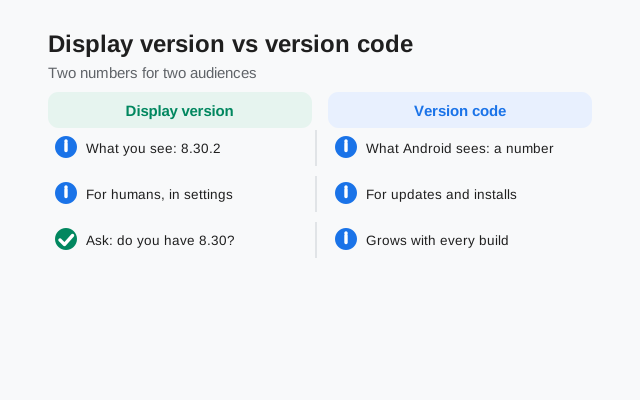
You will never see the version code inside Signal. It shows up in developer tooling, in app-store listings' technical details, and occasionally in support conversations. If a support article ever references a number that does not look like 8.x.y, it is probably talking about the version code.
Why have both? Because humans and systems need different things. Humans need "8.30.2" to talk about releases. The system needs a single number it can compare with greater-than. Two numbers, two jobs.
GitHub tags and what they tell you
Signal publishes every Android build as a tag on the official GitHub releases page, newest first. The tag looks like v8.30.2: the version with a v in front, which is just GitHub naming convention.
Each tag page carries three useful signals beyond the number:
- The release note. A sentence or two describing the headline change. This is the entire official changelog for the feature release.
- The pre-release flag. Flagged builds are beta; unflagged builds are stable. The beta guide explains the channel in full.
- The date. When the tag was published. Useful for answering "how old is my build?"
Patch builds usually have no release note. That is normal and means bug fixes. When in doubt, the tag list is the source of truth for what exists; this guide's version history is the readable version of the same record.
Website build vs Play build numbering
Signal Android ships through two channels: the APK on Signal's download page (the website build) and the Play Store app (the Play build). The two builds are versioned and released separately, so their exact numbers can differ while carrying the same features.
The channels also use different signing keys, which has a practical consequence: the website build cannot install over the Play build, or the other way around. Switching channels means backing up, uninstalling, and reinstalling. It is a one-way door per install, not an upgrade path.
For version-number purposes, the rule is simple. Compare website builds to website builds and Play builds to Play builds. If your Play build says 8.29.x and the website serves 8.29.3, you are on the same feature set. Do not chase matching third digits across channels.
Android vs iOS: separate lines
Android and iOS version numbers look the same but are not the same line. Each platform numbers its own releases, and the same number can mean different things.
The clearest recent example: 8.30. On Android, the 8.30 betas brought the new emoji, sticker, and GIF keyboard, documented in the 8.30 guide. On iOS, 8.30 launched the completion of Secure Backups across platforms, announced on Signal's blog. Same number, different apps, different features.
This matters whenever you read about a Signal update. "Signal 8.30" without a platform is ambiguous. Check whether the source means Android or iOS before assuming a feature is coming to your phone.
Reading the APK filename
The website build's file name encodes its own version record. Take the current file:
Signal-Android-website-prod-universal-release-8.29.3.apk
- Signal-Android: the app and platform.
- website-prod: the website channel, production build. This is what distinguishes it from beta and GitHub channel files.
- universal: one file containing every CPU architecture, so it installs on any Android phone.
- release: a release build, not a debug build.
- 8.29.3: the display version.
If a file offered to you as "the official APK" has a different shape, a version that does not exist on GitHub, or words like "pro" or "plus" in it, it did not come from Signal. The filename guide goes deeper, and the safety guide covers verification.
How to check your version
Thirty seconds, inside the app:
- Open Signal.
- Tap your profile icon to open Settings.
- Go to Help, then Version.
This path is documented on Signal's support site. Once you have the number, compare it with the current build guide to see whether you are up to date.
While you are there, confirm which channel you are on. If you installed from Signal's download page, you have the website build and updates will offer themselves in the app. If you installed from the Play Store, updates come through the store. Knowing your channel answers half of all "why am I not getting updates" questions.
Version-number myths, cleared up
A few wrong ideas about version numbers circulate widely. Clearing them up saves real confusion:
- "A higher third number means new features." No. The third number counts patches, and patches fix bugs. 8.30.2 has no features that 8.30.0 lacks. If you are waiting for a feature, watch the second number.
- "Same number on iPhone and Android means the same update." No. The platforms number separately. Android's 8.30 brought a keyboard; iOS's 8.30 brought backup improvements. Always check which platform a version note is about.
- "The number on a download button tells you what is inside the file." Only if the button is on Signal's own page. Mirror sites routinely label old or tampered files with new version numbers. Trust the number on Signal's download page and the tag on GitHub, nothing else.
- "Beta builds are dangerous." They are earlier, not reckless. Beta builds are real Signal builds tested by volunteers before stable release. The risk is rough edges, not malware. Still, most people should run stable.
- "I need the exact build everyone else has." You need the same feature line, not the same patch. 8.29.1 and 8.29.3 are the same 8.29 for every purpose that matters to you.
Beta channels and early numbers
New version numbers appear in beta before they reach everyone. Signal's beta builds are the pre-release flagged tags on GitHub: real builds, tested by volunteers, carrying the next feature release's number weeks before stable.
Beta numbering follows the same rules, with one addition: expect rapid patch bumps. A beta line like 8.30.0, 8.30.1, 8.30.2 in six days is testers finding issues and Signal fixing them fast. That churn is the beta doing its job.
Should you run beta builds? Only if you want to test features early and accept the occasional rough edge. For everyone else, the stable website build is the right choice, and it will hand you each new number when it is ready. Details are in the beta guide.
from Signal's official site, file hosted by Signal, not by us
Frequently asked questions
What does a Signal version number like 8.30.2 mean?
The 8 is the major version, 30 marks the feature release, and 2 counts the patch builds since that release. So 8.30.2 is the second patch of the 8.30 feature line.
Why does my version differ from the newest one online?
Signal ships separate website and Play builds with their own numbering, and beta builds run ahead of stable. Same features can carry slightly different numbers per channel.
How do I check my Signal version on Android?
Open Signal, tap your profile to open Settings, then go to Help and Version. Signal's support site documents this path.
What is the difference between the website build and the Play build?
They are the same app from different channels with different signing keys, so one cannot install over the other. Version numbers can differ slightly between them.
Do Android and iOS share version numbers?
No. Each platform has its own version line. Android 8.30 and iOS 8.30 shipped different features: a new keyboard on Android, backup improvements on iOS.
What is a version code?
An internal integer Android requires every app to carry. It must increase with each release and is what the system uses to decide whether an update is newer. You never see it in the app itself.
Related guides: all version guides · check the current build · reading APK filenames · the beta channel · full version history