
Signal APK parse error? What it means and how to fix it
Published: October 7, 2026 Updated: October 8, 2026
A "Parse Error" (or "There was a problem parsing the package") means Android couldn't read the APK file at all. It never got as far as checking signatures or storage. The file is unreadable. The usual causes are an incomplete or corrupt download, a file that got renamed or altered in transit, or a very old Android version that can't understand how the package is signed. Fix it by getting a clean copy from Signal's official download page, and check the causes below before assuming your phone is broken.
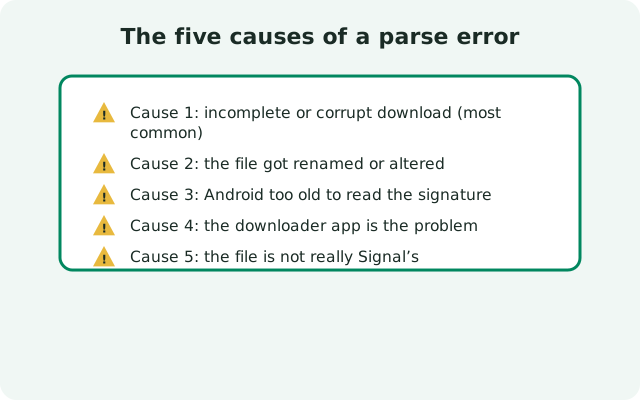
What a parse error actually means
Parsing is the step where Android opens the APK and reads its structure: the manifest, the resources, the signature blocks. "App Not Installed" means the checks failed; a parse error means the checks never started. That distinction matters because it narrows the suspects: it's the file, the download, or the phone's ability to read the file. It's almost never a settings problem.
The full message is usually "There was a problem parsing the package" or "Parse error: There was a problem parsing the package." It's a file-reading failure, full stop.
Cause 1: Incomplete or corrupt download (most common)
This is the parse error behind most parse errors. A connection drop, a download manager pausing silently, a browser closing mid-save. Any of these leave you with a partial file. Android tries to parse it, finds the structure cut off, and gives up.
The tricky part: a partial APK often looks fine in the Downloads folder. You can't tell by the icon. The fix is a clean re-download, done carefully:
- Delete every copy of the Signal APK on the phone: partial files, renamed files, duplicates in different folders.
- Download a fresh copy from Signal's official download page over a stable Wi-Fi connection.
- Wait for the download to fully finish. Don't tap the notification the moment it appears. Give it a few seconds, then open it from the file manager.
- If your browser has a built-in download manager with pause/resume, consider switching to the plain system download instead; some third-party managers mangle large files.
If the error persists after a visibly complete re-download, move to cause 2. One more check worth doing: compare the downloaded file's size against what the download page reports. A file that is dramatically smaller than expected is a partial download wearing a finished disguise. Delete it and download once more, ideally on a different network, since some captive or proxied networks silently truncate large files without any warning.
| Symptom | Likely cause | Fix |
|---|---|---|
| Parse error on every attempt with the same file | Incomplete or corrupt download | Delete all copies, re-download from signal.org/android/apk on stable Wi-Fi |
| Parse error right after transferring the APK from a computer | File damaged or renamed during transfer (extension changed to .zip) | Rename back to .apk or re-download directly on the phone |
| Parse error on a very old Android version, file downloads fine | OS can't read the APK's signature format | Update Android if possible; the install-failure guide covers the limits |
| Parse error only from one browser or download app | That app is corrupting or renaming the download | Download with a different browser and open from the file manager |
| Parse error on an APK from any site except signal.org | Third-party copy: altered, repackaged, or fake | Never install it; use only Signal's official page and read the fake-APK warning |
Cause 2: The file got renamed or altered
APK files are ZIP-format under the hood, and some browsers, download managers, and file transfer tools "helpfully" rename .apk to .zip, or the reverse happens when you copy the file to a computer and back. Android's installer expects the .apk extension and a pristine file. Check the actual filename in your file manager (not just the icon): it should end in .apk.
If it was renamed, rename it back to .apk, but only if you downloaded it from Signal's official page yourself. A renamed file from anywhere else is suspect; delete it and get the real one.
Cause 3: Android too old to read the signature
Modern APKs carry signature blocks that very old Android versions don't understand. The package is fine; the phone just can't read it. This shows up as a parse error rather than "App Not Installed," and it's a strong signal (pun intended) that the phone's OS is end-of-life.
Check for a system update first: Settings System System update. If the manufacturer has abandoned the phone, you're stuck between a rock and a hard place. This is one place where the honest advice matters: don't go hunting for ancient Signal versions on mirror sites. Old builds miss security fixes, and third-party copies of security software are exactly how people get compromised. A phone that can't run a current Signal build is a phone that needs replacing, not a Signal problem to work around.
Cause 4: The downloader is the problem
Some browsers and "download booster" apps intercept APK downloads and rewrite them: appending extensions, splitting files, or saving them with the wrong MIME handling. If the parse error follows you across re-downloads but only when you use one particular app, that app is the culprit. Download with a plain, mainstream browser, disable any download-manager integrations for this one file, and open it from the file manager's Downloads folder.
Cause 5: The file isn't really Signal's
A parse error is also what you get from repackaged, tampered, or outright fake APKs floating around third-party download sites. If the file came from anywhere other than signal.org/android/apk, treat the parse error as a warning doing its job: delete the file, don't try to "fix" it into installing. The sideloading safety guide and the fake-APK warning explain how to verify the genuine file, including comparing the signing fingerprint published on Signal's download page.
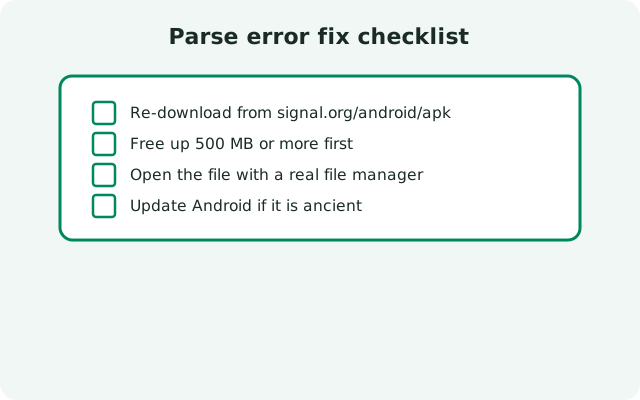
Parse error fix checklist
- Delete all copies of the Signal APK from the phone.
- Re-download from Signal's official page over stable Wi-Fi, with a plain browser.
- Confirm the filename ends in .apk in the file manager.
- Open it from the file manager's Downloads folder, not the browser tray.
- Grant "install unknown apps" to the file manager if prompted.
- Still parsing errors? Check your Android version for updates. If the phone is end-of-life, the OS (not the file) is the blocker.
If a clean official download parses but then fails with "App Not Installed," you've moved to a different problem. The install-failure guide picks up from there, starting with the signature-conflict check.
from Signal's official site, file hosted by Signal, not by us
Frequently asked questions
What's the difference between a parse error and "App Not Installed"?
A parse error means Android couldn't even read the APK file: it's corrupt, incomplete, renamed, or unreadable by your OS. "App Not Installed" means the file was readable but failed a check like signature match or storage. Parse errors are a file problem; install errors are usually a conflict or permission problem.
I re-downloaded three times and still get a parse error. Now what?
Change the downloader: switch browsers, disable download-manager apps, and open the file from the file manager. If it still fails on a clean official download, check your Android version. Very old OS versions can't parse modern APK signatures.
The file shows as a ZIP, not an APK. Is that the problem?
Yes, most likely. Your browser or transfer tool renamed it. Rename it back to end in .apk, but only if you downloaded it from Signal's official page yourself. A renamed file from a third-party site should be deleted, not installed.
Can a parse error mean my phone has a virus?
No. A parse error is about the file, not the phone. But if the file came from a shady site, delete it: fake "Signal APK" files are a real malware vector, which is why only the official download page counts as a source.
My Android is very old and can't be updated. Can I still use Signal?
Only if the OS can install a current build, and you should never install outdated Signal builds from mirror sites. They miss security fixes. If the phone can't run current Signal, the safe answer is a newer phone, not an old APK.
Does the parse error affect my existing Signal chats?
No. A parse error happens before anything is installed or changed. Your current Signal and its data are untouched. It's one of the safest errors to get, because nothing has been modified yet.
Related: the full troubleshooting hub, fixing "App Not Installed", download problems and fixes, spotting fake Signal APKs, is sideloading Signal safe, latest version and changelog, and the main install guide.