
Molly problems, fixed one by one
Published: October 7, 2026 · Updated: October 8, 2026
Most Molly problems fall into five buckets: notifications not arriving, updates failing, the F-Droid repository misbehaving, the phone's battery saver strangling the app, and the occasional release bug. This page works through each one with the fix that actually resolves it, in plain language. It also tells you honestly when the right answer is not a fix at all, but switching to official Signal. Molly is a community fork, not a product with a support desk, so troubleshooting it means understanding which layer the problem lives in.
Notifications not arriving
Missing notifications are the number one Molly complaint, and they are almost never a bug in Molly itself. They are a plumbing problem. Messages need a push system to wake the app when it is asleep, and which push system Molly uses depends on the build: standard Molly uses Google's FCM like the official app, while Molly-FOSS uses UnifiedPush, an open push standard, via a distributor app you install separately.
If you use standard Molly on a phone with Google services and notifications die, treat it like official Signal: check notification permission, check that notification channels are not silenced, and check battery optimization (more on that below). The fork does not change this path much, and the fixes are the same ones that fix Signal.
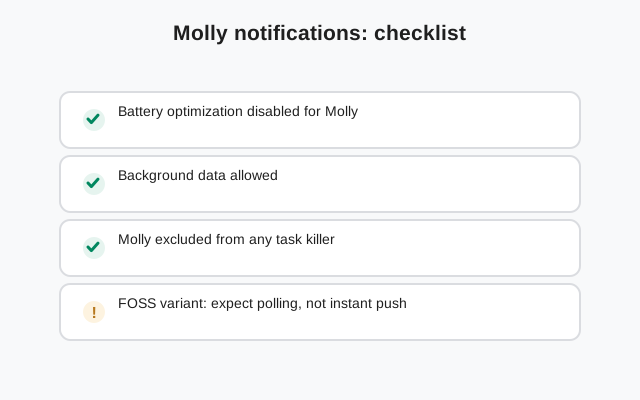
If you use Molly-FOSS, notifications have an extra link in the chain: the UnifiedPush distributor. The distributor is a separate app that receives push messages and hands them to Molly. If the distributor is not installed, not registered, or itself battery-restricted, Molly hears nothing. The fix order is: confirm the distributor app is installed and set up, confirm Molly is registered with it, and confirm both apps are exempt from battery optimization. One broken link silences everything downstream. Our UnifiedPush notifications guide walks this chain step by step.
The delayed-notification variant is worth naming: messages arrive, but minutes late, and only when you open the app. That pattern screams background restriction. The phone is letting Molly sleep and never waking it. The fix is the battery section below, not a reinstall. Reinstalling a notification problem just moves your chats into danger for no reason.
Updates failing or stuck
Update failures in Molly have a short list of causes, and they are covered in depth in our Molly update guide. The quick version: "app not installed" means the new APK's signer does not match the installed app, which means you grabbed the wrong variant or the wrong source. The fix is to delete the bad download and get the right one from molly.im, matching your existing build.
F-Droid users have their own failure mode: the client shows no update even though you know a release exists. Pull to refresh the repositories first. If it still shows nothing, the release may simply not be in the repo yet (Molly trails Signal's releases), or your repo URL may be wrong. The correct repository is molly.im/fdroid. A mistyped or stale repo URL gives you a perfectly functional F-Droid client that will never offer you a Molly update again.
One failure deserves special mention: updating over a build you did not install from the same channel. F-Droid repo build and direct-APK build are different signing lanes. Trying to install one over the other is not an update, it is a conflict, and Android will refuse. If you want to change lanes, do it as a migration: back up, uninstall, reinstall from the new lane, restore. Never as an in-place update.
F-Droid repository problems
Molly is not in F-Droid's main repository; it ships through its own repository that you add to the F-Droid client yourself. That design is fine, but it creates a failure surface the official app does not have. If the repo addition goes wrong, updates stop.
Symptoms and fixes: if F-Droid says it cannot fetch the repository, check the URL character by character and check your connection; repo indexes are just files on a server, and a typo is a typo. If the repo fetches but Molly never appears, make sure you are looking in the right place after adding it; new repos do not always surface where you expect. If everything worked for months and then updates stopped, re-check the repo URL, because stale or changed URLs fail silently.
The nuclear option for repo trouble is clean: remove the Molly repository from F-Droid, re-add it fresh from molly.im/fdroid, refresh, and update. This takes two minutes and resolves most repo weirdness. If you find yourself doing it often, consider whether the direct-APK lane fits your habits better; some people update more reliably when they do it deliberately from molly.im than when they rely on a repo they never look at.
Battery optimization eating Molly
Modern phones are aggressive about killing background apps, and messaging apps are collateral damage. If Molly works fine while open but goes quiet when closed, if notifications arrive only when you open the app, if calls do not ring when the screen is off, the battery saver is your prime suspect. This affects every messaging app, fork or not; it is a phone problem, not a Molly problem.
The fix is one setting, found in different places on different phones: battery optimization, usually under Settings, then Apps, then Molly, then Battery. Set it to unrestricted, or "don't optimize," or your manufacturer's equivalent wording. Some phones (Huawei's EMUI and Xiaomi's MIUI are the famous ones) have extra layers: app launch management, background activity switches, autostart permissions. On those phones you may need to flip two or three toggles, not one. Our Molly on Huawei guide covers the heavy-handed manufacturers in detail.
After changing the setting, test properly: send yourself a message from another device with Molly closed and the screen off. Wait a full minute. If it arrives promptly, you fixed it. If not, keep digging before blaming the app. And note the cruel interaction: system updates love to reset battery settings, so a phone update can silently re-break what you fixed months ago. When notifications die right after a system update, check this setting first, not the app.
Calls, messages, and media quirks
Calls not ringing, messages stuck on sending, media not downloading: these look like Molly problems but usually live in the network or permission layer. The fork speaks the same protocol as Signal, so protocol-level behavior is identical; what differs is the app wrapper and your phone's treatment of it.
For calls: check microphone and phone permissions, check that the phone is not in a restrictive mode, and try a call on Wi-Fi versus mobile data to isolate the network. Some networks and some countries interfere with the relay servers messaging apps use; switching networks is a diagnostic, not a fix, but it tells you where the problem is. For stuck messages: check connectivity first, then check whether the contact's side is fine, then restart the app. The dramatic fixes can wait.
For media not downloading or sending: check storage space and check the app's storage permission. A full phone fails media operations in confusing ways, with errors that look like network problems. Free space first, diagnose second. The general notification troubleshooting and Huawei notification guides on this site cover the shared plumbing that Molly inherits from Signal's design.
When the answer is official Signal
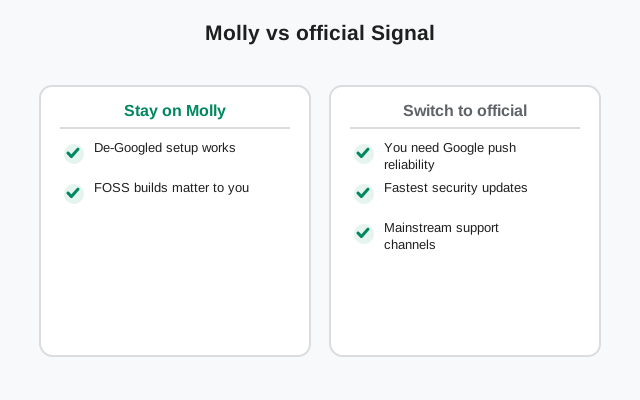
Here is the honest section. Some problems with Molly are not fixable because they are not bugs; they are the fork's structural tradeoffs. If any of these describe you, the right move is not another fix, it is switching to official Signal.
- You need security patches the day they land. Molly trails Signal's releases. If your threat model says same-day patching, the fork's pipeline is the wrong pipeline for you. Official Signal is the answer.
- You want a support desk. Molly's help is community documentation and forums. If you need someone to call when things break, official Signal at least has a real support operation.
- Your phone has Google services and everything works. Then the fork's main selling point, Google-free notifications, buys you nothing, and you are paying the fork's costs (release lag, smaller team, no official support) for benefits you do not use.
- You are tired of maintaining it. Repos, distributors, battery exemptions, release lag: this is a hobbyist's maintenance list. There is no shame in preferring the app that updates itself and just works.
Switching is easy and safe: back up in Molly, install official Signal from the official APK page, register your number, restore with your key. Your chats come with you. Choosing the official app is not a failure of the fork; it is the fork working as intended, as an option for the people who need it, not a religion.
Issue, cause, fix: the quick table
| Symptom | Usual cause | Fix |
|---|---|---|
| No notifications at all (FOSS) | UnifiedPush distributor missing or unregistered | Install and set up the distributor; register Molly with it |
| Notifications only when app is open | Battery optimization killing background work | Exempt Molly (and the distributor) from battery optimization |
| "App not installed" on update | Wrong variant or source; signer mismatch | Download the matching build from molly.im |
| F-Droid shows no update | Stale repo index or wrong repo URL | Refresh repos; confirm molly.im/fdroid |
| Calls do not ring | Permissions or battery restriction | Check permissions; exempt from battery saver; test on Wi-Fi |
| Media will not send or download | Full storage or missing permission | Free space; check storage permission |
| App crashes after update | Bad update or release bug | Restart phone; check release notes; reinstall and restore from backup |
Work the table top to bottom for your symptom. If your symptom is not here, start with the battery section anyway; it is the cause more often than anyone expects. And if you are reading this page for the third time this month, read the section above about switching. Loyalty to a fork is not a virtue.
from the fork's own site (file hosted there, not by us)
Frequently asked questions
Why am I not getting Molly notifications?
Almost always a plumbing issue, not a bug. On Molly-FOSS, check that a UnifiedPush distributor app is installed, registered, and exempt from battery optimization. On standard Molly, check notification permissions and battery optimization. Test with the screen off and the app closed.
Molly update says 'app not installed'. What now?
The new APK's signer does not match your installed app: you downloaded the wrong variant or the wrong source. Delete it and download the matching build from molly.im.
F-Droid won't update Molly. How do I fix it?
Pull to refresh repositories first. Then confirm the repository URL is molly.im/fdroid and that the release is actually in the repo (Molly trails Signal releases). As a last resort, remove and re-add the repository.
Should I reinstall Molly to fix a problem?
Rarely as a first step. Back up first if you do; an update or settings fix resolves most issues without risking chats. Reinstall-and-restore is the fallback, not the opener.
Is there official support for Molly?
No. Molly is a community fork; help comes from its documentation and community, not a support desk. If you need official support, that is a genuine reason to use official Signal instead.
Keep reading
- the Molly hub: every fork guide in one map
- updating Molly: the safe update ritual
- Molly backup and restore: before you try anything drastic
- UnifiedPush notifications: the notification chain, explained
- is Molly safe: the trust question, answered honestly
- official Signal APK: if the fork is not for you