
What is the minimum Android version for Signal?
Published: October 7, 2026
Signal Foundationfrom Signal's official site — file hosted by Signal, not by us. signal.org/android/apk
Every app has a floor: the oldest Android version it supports. Signal raises its floor every couple of years as old Android releases stop getting security patches. Right now, Signal requires Android 6.0 (Marshmallow) or newer. If your phone runs anything older, the current Signal won't install or run on it, no matter which download channel you use.
Two honesty notes before we go further. First, the floor moves: treat any version number on this page as current as of October 2026 and confirm the live requirement on support.signal.org if your phone is borderline. Second, the website APK (signal.org/android/apk, build 8.29.3) has the same minimum as the Play Store build. Sideloading doesn't bypass the requirement.
How to check your Android version
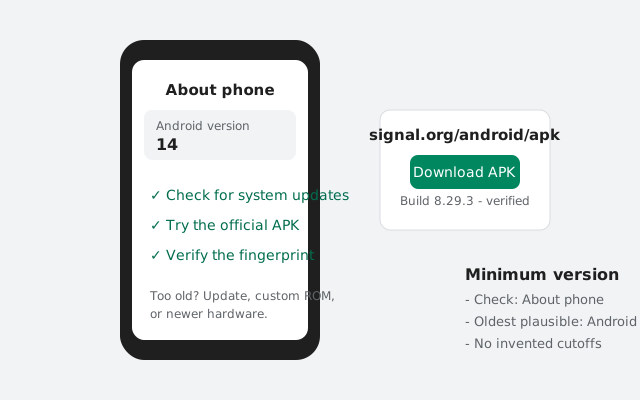
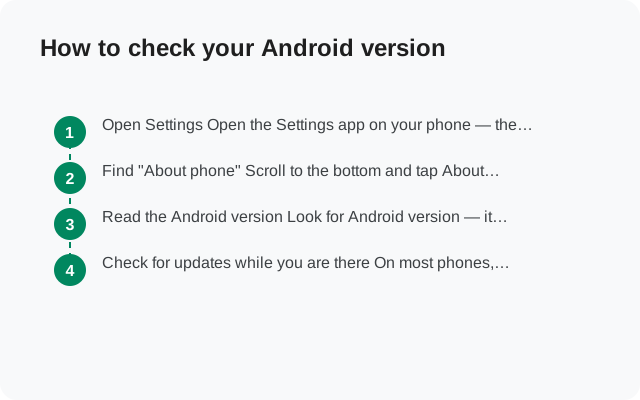
Open Settings
On nearly every Android phone: the Settings app, then About phone (sometimes under System first).
Read the Android version
Look for "Android version." You want the number: 14, 13, 12, down to 6.0. Anything 6.0 or higher clears Signal's current floor.
On Samsung
Settings > About phone > Software information > Android version (One UI buries it one level deeper).
On Xiaomi (MIUI/HyperOS)
Settings > About phone. The Android version is shown alongside the MIUI/HyperOS version.
If your phone shows Android 6.0 through 7.x, you're above the floor but on borrowed time, so read the "why the minimum keeps rising" section before you get comfortable. If it shows 4.4 (KitKat) or lower, skip to your options below; no current Signal build will run there.
What happens on a phone that is too old
Three different failures, depending on how you try:
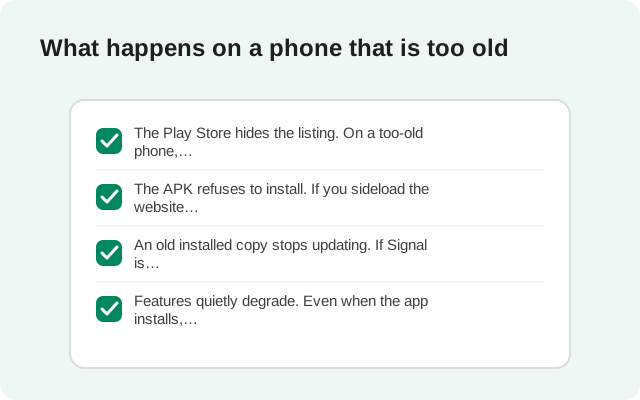
- Play Store: Signal simply doesn't appear in search results, or the listing shows "This app is incompatible with your device." Google filters it before you can even try.
- APK install: the installer fails, usually with a terse "App not installed" or a parse error. Android refuses packages whose minimum SDK exceeds the OS.
- Already installed, then it stops working: if Signal raises the floor past your OS in an update, the app may refuse to launch or lose the ability to connect. This is the rude one. It can strand you mid-conversation.
None of these are fixable by downloading from a different site. The minimum is compiled into the app; a mirror can't change it, and anyone claiming their APK "works on all Android versions" is lying or shipping malware. The old-versions guide explains why hunting for ancient builds is a security risk, not a solution.
Can the website APK help on an old phone?
No. This misconception costs people a lot of wasted time, so let's kill it cleanly. The website build and the Play Store build are the same app compiled from the same code with the same minimum Android version. Sideloading changes the delivery channel, not the requirements.
What the APK can do on an old-but-supported phone (say, Android 6 or 7): install Signal where the Play Store is missing or broken. Plenty of old phones have dead Play Services but a working browser. For those, the APK from signal.org/android/apk is genuinely the way in. The floor is the floor, though: Android 6.0+, both builds, no exceptions.
If someone tells you an "APK mod" or "lite version" runs Signal on Android 4.4, that's either malware or fantasy. Signal's cryptography and network code depend on OS features that don't exist on those releases.
Why the minimum keeps rising
Signal drops old Android versions for two solid reasons. First, security: ancient Android releases don't get security patches, and their TLS stacks, crypto providers, and permission models have known holes. A messenger that promises privacy can't responsibly run on an OS it can't trust.
Second, engineering reality: every old version Signal supports is a version it must test against, work around bugs for, and keep compatible as libraries update. Google's own support libraries eventually drop old releases, and at that point Signal either drops them too or freezes its own development.
The pattern so far: Signal supported Android 4.4 until 2024, then raised the floor (the current floor is 6.0, verified from Signal’s own source). Expect the floor to keep climbing roughly every few years, and expect each move to strand the oldest ~1% of devices. If your phone is within two versions of the floor, start planning. You're living on the edge of the next cut.
Your options when your phone is too old
From most to least advisable:
- Use Signal on another device. An old tablet as a linked device, or Signal Desktop on a computer, keeps you in your account while the ancient phone retires from messaging duty.
- Install a custom ROM. If your phone has LineageOS or similar support, a community ROM can bring a 2015-era phone up to a modern Android version. Modern Android clears the floor easily. This is a real fix, but it's a project: unlocking bootloaders, flashing, and accepting some instability.
- Keep the phone offline from Signal. Accept that the phone can't run Signal and move messaging to a newer device. Don't try to keep an outdated Signal limping along. Old builds miss security fixes and eventually can't connect to Signal's servers anyway.
- Buy a newer phone. Sometimes the honest answer. The next section covers how not to buy another dead end.
What doesn't work: old APKs from mirror sites (security risk, and servers eventually reject them), "Signal Lite" clones (not Signal), and root hacks that fake the Android version (breaks the app's crypto assumptions).
Buying advice: don't buy a dead-end phone
If you're replacing a too-old phone anyway, buy yourself time, not just a phone:
- Check the update policy before buying. Samsung, Google, and Xiaomi now promise several years of OS updates on many models; no-name brands often promise zero. A phone launching on Android 14 with 4 years of updates stays above Signal's floor far longer than a phone launching on Android 12 with none.
- Avoid already-old stock. That discounted 2022 model still sealed in the box has already burned two years of its update life. Check the launch Android version, not just the price.
- Prefer Android Go models for the very budget end only if you understand the trade-off: they're cheap and current, but low RAM makes everything slower, including Signal.
- Consider used flagships over new ultra-budget phones: a 2-year-old flagship usually has years of updates left and vastly better hardware for the same money.
The cheapest phone that stays above the floor for five years beats the cheapest phone, period. Signal's floor will rise again; buy headroom.
Phone tiers at a glance
| Your Android version | Signal status |
|---|---|
| 14, 15 (current) | Fully supported, both builds. No concerns. |
| 10 – 13 | Fully supported. Install from Play or APK. |
| 8 – 9 | Supported, but aging. Plan your next phone. |
| 6.0 – 7.x | At the floor. Works today; the next floor-raising ends it. |
| 4.4 and below | Not supported. No current build installs. |
When in doubt, the latest version page tracks the current website build (8.29.3), and support.signal.org carries the official minimum. If the two ever disagree, support.signal.org wins.
Frequently asked questions
What is the minimum Android version for Signal right now?
Android 6.0 (Marshmallow) or newer, as of October 2026 (verified from Signal’s own build config: minSdk 23). The floor rises every few years. Confirm the live requirement on support.signal.org if your phone is borderline.
Does the APK version work on older Android than the Play version?
No. Both builds are the same app with the same minimum. Sideloading changes the delivery channel, not the OS requirement.
My phone runs Android 4.4. What can I do?
No current Signal build runs on 4.4. Your real options: a custom ROM like LineageOS if your phone is supported, using Signal on another device (linked tablet or Desktop), or a newer phone.
Will Signal stop working on my Android 6 phone soon?
Possibly, whenever Signal next raises the floor. Android 6.0–7.x devices are living on the edge of the next cut, so have a plan before it happens.
Can I just keep using an old Signal version on my old phone?
Not safely or for long. Old builds miss security fixes, and Signal's servers eventually stop talking to outdated clients. It's a dead end, not a solution.
from Signal's official site — file hosted by Signal, not by us. signal.org/android/apk