
APK Hash vs Signature: What Each One Actually Proves
Published: October 7, 2026 Updated: October 8, 2026
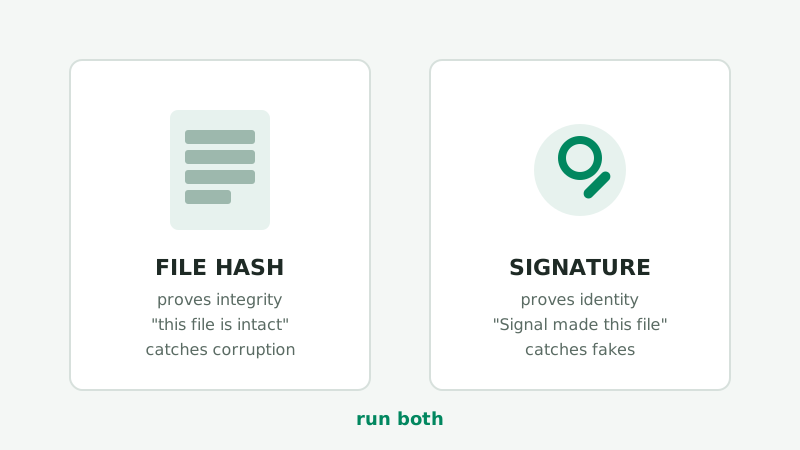
Ask five people how to verify an APK and you will hear "check the hash" and "check the signature" used as if they were the same thing. They are not. They answer two different questions, they fail in different ways, and only one of them catches a malicious fake. This guide explains the difference honestly so you know exactly what each check buys you.
from Signal's official site — file hosted by Signal, not by us
What the file hash proves (and what it cannot)
A file hash, such as the SHA-256 value from sha256sum, shasum -a 256, or Windows certutil -hashfile … SHA256, is a short fingerprint of the file's exact bytes. Change one byte and the hash changes completely. Keep the bytes identical and the hash is identical, on any computer in the world.
What that gives you:
- Corruption detection. Interrupted downloads, flaky networks, and bad storage all change bytes, and the hash will not match a reference copy.
- Duplicate detection. Two files with the same hash are the same file. Useful when you keep a hash of a verified copy and check later re-downloads against it.
What it does not give you:
- Identity. A hash says nothing about who created the file. An attacker's repackaged Signal APK with spyware inside has a perfectly valid SHA-256 hash. It is a genuine hash of a malicious file.
- Meaning without a reference. A hash compared against nothing proves nothing. The reference must come from a source you trust, and most random download sites are not that.
What the signature proves (and what it cannot)
Every Android APK is signed with the developer's private key. Android uses that signature to verify updates, and anyone can read the signing certificate's fingerprint with a tool like apksigner:
apksigner verify -v --print-certs --min-sdk-version 24 your-signal.apkThe output includes the SHA-256 fingerprint of the signing certificate. Signal publishes its fingerprint on signal.org/android/apk (re-verified by us on October 7, 2026): 4B:E4:F6:CD:5B:E8:44:08:3E:90:02:79:DC:82:2A:F6:5A:54:7F:EC:C2:6A:BA:7F:F1:F5:20:3A:45:51:8C:D8. If the fingerprint from your file matches that value character for character, only the holder of Signal's private signing key could have produced that APK.
What that gives you:
- Authenticity. The app really came from Signal. A repackaged fake cannot reproduce this match without stealing Signal's private key, which would be a catastrophic breach, not a repackaging scam.
- Tamper evidence. If anyone modifies a signed APK, the signature no longer verifies. Tampering and signing are mutually exclusive for the same key.
What it does not give you:
- Proof the file is the latest version. The fingerprint identifies the signing key, not the release. An old genuine Signal APK passes the signature check too.
- Proof the app is bug-free. A genuine app can still have bugs. The signature proves origin, not quality.
Side by side
| File hash (SHA-256 of the .apk) | Signature (certificate fingerprint) | |
|---|---|---|
| Answers | "Is this file intact?" | "Who signed this app?" |
| Computed with | sha256sum, shasum, certutil | apksigner verify --print-certs |
| Compared against | A reference hash from a trusted source | The fingerprint published on signal.org/android/apk |
| Catches | Corrupted or incomplete downloads | Repackaged fakes, tampered files, impostor apps |
| Cannot catch | A perfectly intact fake file | An old-but-genuine release; bugs in genuine code |
| Changes per release | Yes, every release has a new file hash | No, the fingerprint is stable across releases |
Which check catches which threat
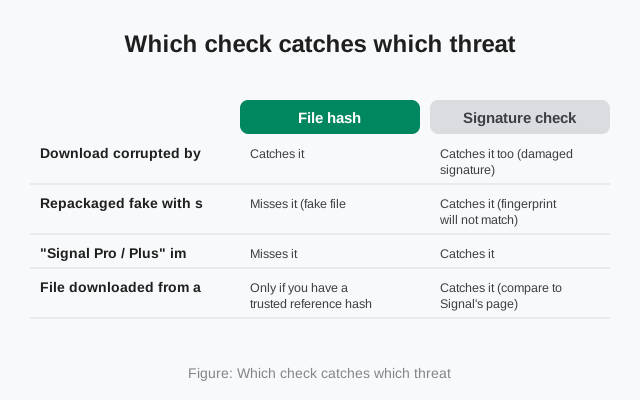
Here is the decision framework. Find your threat in the left column, read across to see which check catches it:
| Threat | File hash | Signature check |
|---|---|---|
| Download corrupted by a bad network | Catches it | Catches it too (damaged signature) |
| Repackaged fake with spyware, signed by the attacker | Misses it (fake file, valid hash) | Catches it (fingerprint will not match) |
| "Signal Pro / Plus" impostor app | Misses it | Catches it |
| File downloaded from a sketchy mirror | Only if you have a trusted reference hash | Catches it (compare to Signal's page) |
| Proxy or middlebox modifying downloads | Catches it (compare two networks) | Catches it (signature breaks) |
| Signal's own signing key stolen | Misses it | Misses it (the ultimate worst case) |
The pattern is clear: the signature check catches everything the hash check catches, plus the threats that actually matter for safety. The hash check is still worth running because it is fast and it diagnoses the most common real-world problem, a bad download, in seconds.
When each check is enough
- Hash alone is enough when you downloaded from Signal's own page, the file installed fine, and you only want to confirm the download was not corrupted. Low stakes, quick answer.
- Signature check is required whenever the file came from anywhere else (a mirror, a friend's phone, a forum link), whenever something feels off, and whenever the app will hold your private conversations, which is always. This is the check that answers "is this really Signal."
- Both, every time you are unsure. Hash first (thirty seconds, rules out the boring causes), signature second (a few minutes, rules out the dangerous ones).
One honest limitation: if Signal's private signing key itself were ever compromised, the fingerprint check would not save you, because the attacker could sign fakes with the real key. That would be an industry-shaking event, not something you can defend against with a local check. For every realistic threat, the signature check holds.
What about hashes posted on download sites?
You will sometimes see a third-party download site or forum post listing a SHA-256 hash next to its Signal APK mirror, inviting you to "verify" your download against it. Treat that offer with skepticism:
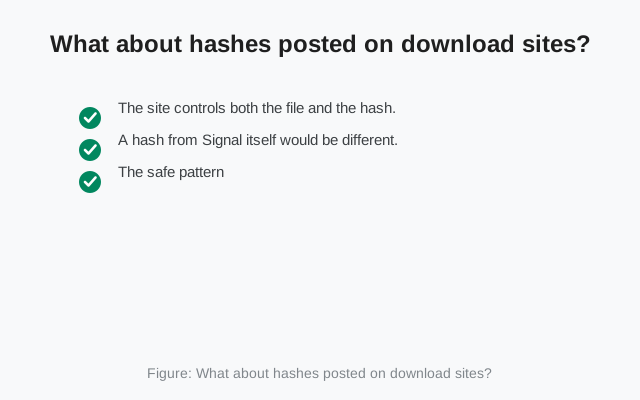
- The site controls both the file and the hash. If it served you a tampered file, it can just as easily post the tampered file's hash. The check only has meaning when the file and the reference come from independent sources.
- A hash from Signal itself would be different. Signal publishes a certificate fingerprint, not a file hash, on its download page. A site claiming "official SHA-256" for the file is not quoting Signal.
- The safe pattern: download from signal.org/android/apk, hash it yourself, and verify the signature with
apksigneragainst the fingerprint on Signal's page. That chain has no third party to trust.
Mirrors are sometimes unavoidable on slow networks, and a hash from the mirror at least catches corruption in transit. Just know what it does and does not prove: integrity against that mirror's copy, nothing about authenticity. Authenticity always comes back to the signature.
How to run both in under five minutes
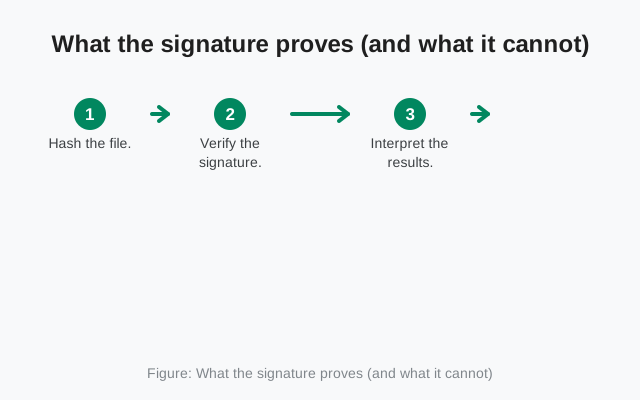
- Hash the file. Follow our per-OS guide: check SHA-256 on Windows, Mac and Linux. Save the hash.
- Verify the signature. Run
apksigner verify -v --print-certs --min-sdk-version 24 fileand compare the SHA-256 certificate fingerprint with4B:E4:F6:CD:5B:E8:44:08:3E:90:02:79:DC:82:2A:F6:5A:54:7F:EC:C2:6A:BA:7F:F1:F5:20:3A:45:51:8C:D8from Signal's download page. Our step-by-step: verify the Signal APK SHA-256 fingerprint. - Interpret the results. Hash mismatch plus signature failure usually means a corrupted download: re-download from the official page. Signature mismatch on a fresh official download means do not install, full stop.
Five minutes, two commands, and you have answered both questions: the file is intact, and the file is genuinely Signal's.
Frequently asked questions
Which one matters more, the hash or the signature?
For safety, the signature. A file hash only proves a file is intact; a signature check against Signal's published certificate fingerprint proves who actually signed the app. Integrity without identity is not enough.
Can a fake APK have a valid SHA-256 hash?
Yes. The hash of a fake file is a perfectly valid hash of that fake file. The hash only becomes meaningful when compared to a reference hash from a trusted source, and even then it says nothing about who created the file.
What does apksigner verify actually prove?
It proves the APK's signature is internally consistent and shows you the signing certificate fingerprints. Combined with a comparison against the fingerprint published on signal.org/android/apk, it proves the app was signed by Signal's key.
Does Play Protect replace these checks?
No. Play Protect scans for known malware patterns, which is useful but different: a brand-new repackaged fake may not be in any malware database yet. Use it as a supplement, not a replacement for the signature check.
Related guides
- our safety guides hub: all verification and safety walkthroughs in one place
- Check SHA-256 on Windows, Mac and Linux: the file-hash half of the process, per OS
- Verify the Signal APK signing certificate fingerprint: the identity half of the process, step by step
- How to spot a fake Signal APK: warning signs of repackaged impostors
- Is the Signal APK safe to install?: the full safety assessment