
Telegram APK vs Signal APK: Official Channels and Real Differences
Published: October 7, 2026 · Updated: October 8, 2026
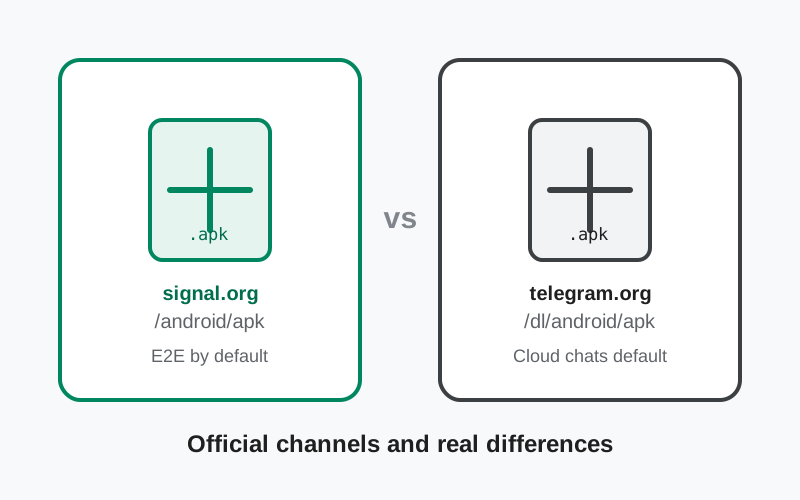
Telegram and Signal are the two messengers people name when they talk about leaving mainstream chat apps, and both serve users whose phones have no Play Store. Both publishers run an official direct-download channel, and both channels exist for the same reason: getting the genuine app onto phones that cannot use Google's store. This page compares the two official channels honestly, then the thing that actually separates the apps: their encryption models.
from Signal's official site — file hosted by Signal, not by us
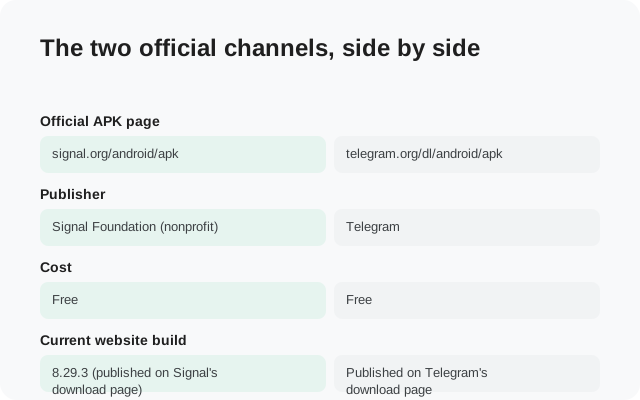
The two official channels, side by side
| Signal APK | Telegram APK | |
| Official APK page | signal.org/android/apk | telegram.org/dl/android/apk |
| Publisher | Signal Foundation (nonprofit) | Telegram |
| Cost | Free | Free |
| Current website build | 8.29.3 (published on Signal's download page) | Published on Telegram's download page |
| Package | org.thoughtcrime.securesms | Telegram's own package, from its official page |
| Build format | One universal APK for all architectures | Direct APK downloads for devices without Google Play |
| Verification offered | SHA-256 signing-certificate fingerprint published on the download page | Comes from Telegram's own official page; check the URL carefully |
| Signing vs Play build | Different signing key: cannot install over the Play Store version (back up first) | Install the official file over the matching official install; mismatched sources can fail |
| Updates | Website build updates itself automatically | Watch for in-app update prompts; re-download from the official page when needed |
Both channels follow the same safety logic: the publisher's own site is the only trustworthy source. The sections below cover what each channel gives you and where they differ.
Signal's official APK channel
Signal's page at signal.org/android/apk serves the website build (currently 8.29.3) as a single universal APK, and it publishes the SHA-256 fingerprint of its signing certificate so you can verify the file before installing. Our fingerprint verification guide shows the exact steps. The website build updates itself once installed, and it uses a different signing key than the Play Store build, so it cannot install over a Play installation: back up, uninstall, then install. The migration guide covers that sequence safely.
What stands out about Signal's channel is how much of the safety work it does for you: one file, published fingerprint, automatic updates. It is designed for people who want the official app with the least possible fuss and the most possible verification.
Telegram's official APK channel
Telegram's direct downloads live at telegram.org/dl/android/apk, published for Android devices without Google Play services. The files come from Telegram's own infrastructure, which is what makes them trustworthy. Installation follows the standard sideload flow: download, allow your browser to install unknown apps when prompted, open the file.
As with WhatsApp's channel, the verification burden sits more with you than with published fingerprints: confirm the domain is exactly telegram.org, download only from that page, and ignore everything else. The Telegram ecosystem has a particularly aggressive scam problem: fake "Telegram Plus," "Telegram Pro," and modded clients promising premium features are standard malware lures. Telegram's official apps are free and complete; anything offering a "pro" or "unlocked" edition is lying to you. The same is true on the Signal side: there is no "Signal Pro" or "Signal Plus," as our scam guide explains.
The real difference: encryption models
The architectural difference
The download channels are comparable. The apps are not, and the difference is architectural. Signal encrypts every chat, group, and call end to end by default. There is no other mode. Telegram's regular chats are cloud chats: encrypted between your device and Telegram's servers, synced across all your devices, and accessible to Telegram. End-to-end encryption exists only in Secret Chats, which you must start deliberately, which stay on one device, and which most users never open.
Nobody but us vs the company can read this
This is not a subtle distinction. It is the difference between "nobody but us can read this" and "the company can read this but promises not to." Telegram's cloud model buys real conveniences. You get instant sync across phones, tablets, and desktops, and a message history that follows you to a new device with no backup step. Signal's model buys a stronger guarantee at the cost of that convenience: your history lives on your devices, protected by encrypted backups you control.
What marketing blurs
Neither design is dishonest about what it is, but marketing on both sides blurs it. Telegram leans on the word "encrypted" without volunteering that its default chats are not end-to-end encrypted. Signal's supporters sometimes imply Telegram has no encryption at all, which is false: transport encryption plus optional end-to-end Secret Chats is real security, just not the default. The honest summary: Signal's default is Telegram's opt-in, and Telegram's convenience is Signal's deliberate trade-off.
Metadata sharpens the gap
Metadata sharpens the gap further. Signal is engineered to hold almost nothing about who talks to whom. Telegram's cloud architecture inherently holds your contacts, your groups, and your message history on its servers. For casual use that is the price of sync; for sensitive use it is the thing to avoid.
Features compared, honestly
Strip away the encryption debate and Telegram is the richer product, and it is not close. Channels with unlimited audiences, massive groups, bots that do everything from payments to games, instant cloud sync, and a huge sticker and customization culture: Telegram is a platform, not just a messenger. Signal covers messaging essentials well: chats, groups, voice and video calls, stories, usernames, disappearing messages. It deliberately does not do channels, bots, or broadcast features.
Signal's restraint is philosophical. Every feature is weighed against the privacy model, and features that need server-side data lose. Telegram's expansiveness is also philosophical: growth and engagement first, with encryption as a feature rather than the foundation. Judge each by its own goals and the comparison is fair; judge Telegram by Signal's goals, or Signal by Telegram's, and you learn nothing.
One more honest note on openness: Telegram's apps are open source, which is good, but its servers are closed, so the cloud side runs on trust. Signal's client is open source too, and its service is designed to need less of your trust in the first place.
The mirror warning, for both apps
Both apps suffer from the same parasite: third-party APK sites. They rank well, they promise every version ever released, and they are the main way trojaned Telegram and Signal builds reach phones. A repackaged Telegram client can steal your account and your contacts; a repackaged Signal build can do worse, because people install Signal precisely for sensitive conversations.
The rule covers both apps identically: official pages only, meaning telegram.org and signal.org. No mirrors, no Telegram channels distributing APKs (the irony is noted), no forwarded files, no "pro" or "plus" editions. If a download source offers something the official page does not, that something is the trap.
Who should pick which
| Your situation | The honest pick |
|---|---|
| Privacy is the priority | Signal. Default end-to-end encryption and minimal metadata. |
| You live in Telegram channels, bots, and huge groups | Telegram. Signal has no equivalent, by design. Use Secret Chats for sensitive one-to-ones. |
| You want history synced across every device automatically | Telegram. Cloud sync is its native model; Signal keeps history on your devices. |
| Journalist, activist, or sensitive work | Signal. The safer default for anything that must stay private. |
| No Google Play on your phone | Either official APK. Both publishers serve direct downloads. |
| You want both | Run both. Telegram for the platform, Signal for private conversations. This is what many privacy-aware people actually do. |
If you want the deeper app-level comparison beyond the APK channels, read Signal vs Telegram. And if Signal is your pick, our Signal APK download guide walks through the verified install.
Frequently asked questions
Does Telegram have an official APK download?
Yes. Telegram publishes official APK downloads at telegram.org/dl/android/apk for Android devices without Google Play. Like Signal's official page, the files come straight from the publisher.
Is Telegram end-to-end encrypted like Signal?
No, not by default. Telegram's regular cloud chats are encrypted between your device and Telegram's servers, but Telegram can access them. Only optional Secret Chats are end-to-end encrypted. Signal encrypts everything end to end by default.
Which official APK channel is better for privacy?
The privacy difference is in the apps, not the download pages. Both official channels are safe. But Signal's app encrypts everything by default and collects minimal metadata, while Telegram's default chats are not end-to-end encrypted.
Can I use Telegram and Signal on the same phone?
Yes. They are independent apps, and running both is common: Telegram for channels and large groups, Signal for private conversations.
Are Telegram APKs from other sites safe?
No. Only telegram.org is official. Third-party sites offering Telegram APKs, 'Telegram Plus,' or modded versions are a common malware vector. The same rule applies to Signal: official pages only.
Do the official APKs update automatically?
Signal's website build updates itself. For Telegram's direct APK, watch for in-app update prompts and re-download from the official page when needed. Never update from a third-party site.
Related guides
- All Signal comparisons: the full compare hub
- Signal vs Telegram: encryption models and feature trade-offs
- Signal APK vs Play Store build: Signal's two official builds compared
- Download the official Signal APK: the verified download walkthrough
- Official vs fake Signal APK: spotting the difference