
Lost your Signal backup passphrase? Read this before panicking
Published: October 7, 2026
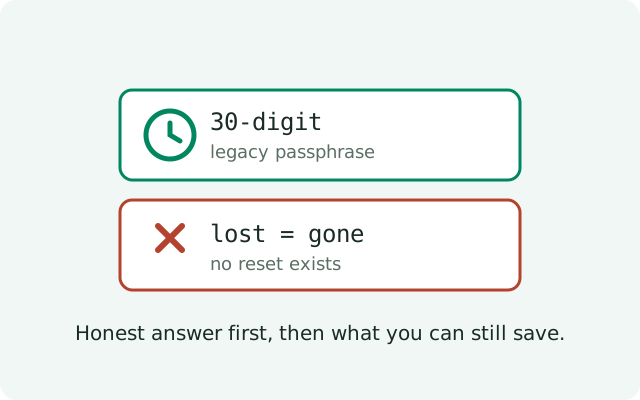
Here is the honest answer first: if you lost your 30-digit Signal backup passphrase, it cannot be recovered or reset. That passphrase is the key to the legacy backup era: the single .backup files older Signal versions wrote. There is no "forgot passphrase" link, no support ticket that fixes it, and no tool that cracks it. Signal never held a copy. That is the entire point of the encryption. But losing the passphrase is not the same as losing everything: what you can still save depends entirely on whether you are still logged in. This guide tells you the truth about what is gone, what is recoverable, and how today's 64-character recovery key keeps it from happening again.
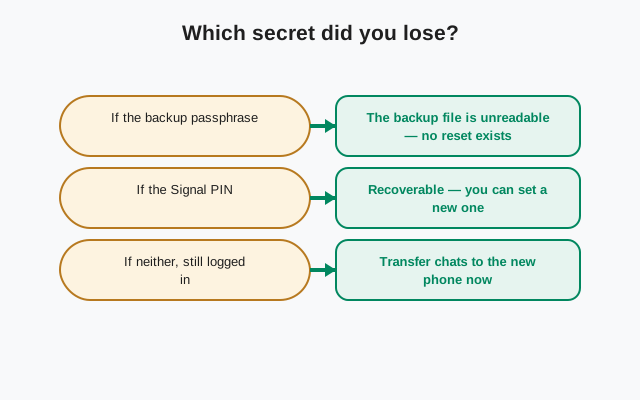
Which one did you lose, exactly?
Signal has had two backup keys, and people constantly mix them up. Get this right or the rest of this page will confuse you:
| What you lost | Which system | What it unlocked | Can it be reset? |
|---|---|---|---|
| 30-digit passphrase | Legacy on-device backups (older Signal versions) | Single .backup files | No. Unrecoverable |
| 64-character recovery key | Secure Backups (current) | Hosted encrypted backups | No. Unrecoverable |
| 64-character recovery key | Current on-device backups (folder format) | Backup folder in your chosen location | No. Unrecoverable |
| Signal PIN | Account registration | Re-registering your number | Separate process. See the PIN guide |
The 30-digit passphrase and the 64-character recovery key are not interchangeable. If your backup was created under the legacy system, only the 30-digit passphrase opens it. If it was created under today's systems, a current on-device backup folder or Secure Backups, only the 64-character key does. Losing one tells you nothing about the other.
Why no reset exists
This is not Signal being unhelpful. It is how the encryption is built. Your passphrase (or recovery key) is generated on your device and used to encrypt the backup before anything leaves the phone. Signal's servers store only the encrypted blob; they never see the key. A reset would require someone, Signal included, to hold a copy of your key, and nobody does.
That trade-off is the whole reason Signal backups are trustworthy: no company, no hacker who breaches a server, and no government request can open your backup without the key you hold. The price of that guarantee is that losing the key is final. Anyone who tells you they can recover it (a "support agent" in your DMs, a paid tool, a YouTube tutorial) is running a scam. There is no backdoor.
What is gone, honestly
- Old .backup files without the 30-digit passphrase: dead. The files are encrypted with the lost passphrase. They cannot be opened by Signal, by support, or by any third-party tool. Keeping them costs nothing, but do not plan around them.
- Hosted backups without the 64-character recovery key: dead. Same story. The encrypted archive on Signal's servers is unreadable without your key.
- Your current chats on a phone you are still logged into: alive. Being logged in means the messages are decrypted on your device right now. This is your window, and it is the entire basis of the next section.
Notice the pattern: the files may be gone, but the chats on a live device are not the files. That distinction is everything.
Still logged in? Do this now
If Signal is open and working on your phone right now, stop reading about the lost passphrase and protect the chats you still have. Do this today:
- Enable Secure Backups. Go to Signal → Settings → Chats → Chat backups and turn backups on if they are not already.
- Save the new 64-character recovery key, twice. Signal will show you the key during setup. Write it on paper and keep it somewhere safe, and store it in a password manager or encrypted note. Two copies, two different places. Do not skip this. It is the exact step that went wrong last time.
- Run a fresh backup immediately. Do not wait for the schedule. Run one now, on Wi-Fi, and confirm it completes.
- Keep the old .backup files. They are useless without the passphrase, but they cost nothing to keep. If the passphrase ever turns up (an old note, an old screenshot), the files become valuable again instantly.
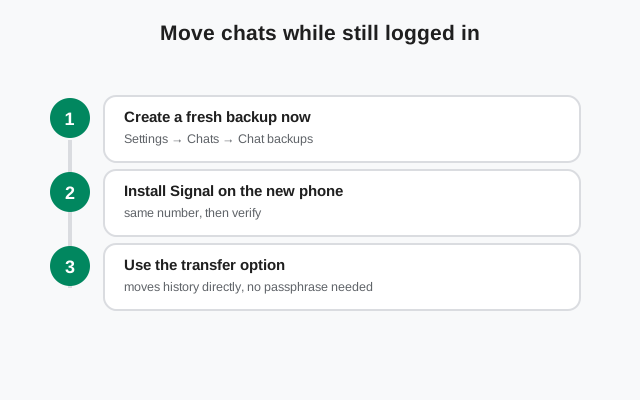
Your current key: find and save it while logged in
One more piece of clarity before you rebuild: today's backups all use the same 64-character recovery key: the current on-device backup folder and Secure Backups are unlocked by one key, not two. If you set up a current backup while logged in, that key is the only secret you need to protect.
To see or re-save it while logged in: open Signal → Settings → Chats → Chat backups. The Backups screen shows your recovery key. Copy it exactly, then store it in two places: on paper somewhere safe and in a password manager or encrypted note. Compare it character by character; one wrong character is the same as no key at all. A key sitting in your password manager is proof your backup is restorable; a key you have never seen written down is a backup you will lose.
Never lose it again
The 30-digit passphrase taught everyone the same lesson, and the 64-character key follows the same rule:
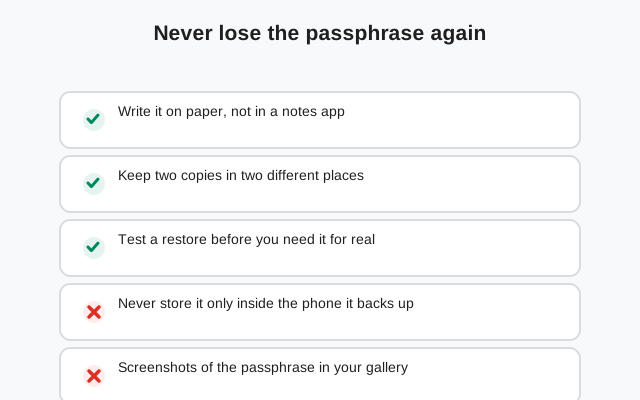
- Paper plus password manager. Paper survives dead phones and forgotten master passwords; a password manager survives house fires and lost notebooks. One of each.
- Verify the copy. After writing the key down, compare it character by character. One wrong character is the same as no key at all.
- Tell one person where it is. If something happens to you, someone you trust should be able to find the paper copy. A key nobody can locate is a lost key.
- Do not rely on screenshots alone. A screenshot in your camera roll is better than nothing, but it dies with the phone if that phone is your only copy.
Your PIN is not your passphrase
A frequent source of confusion: people enter their Signal PIN where the backup asks for the passphrase or recovery key, and assume the backup is broken when it is rejected. They are three different secrets:
| Secret | What it is for | Where it is asked |
|---|---|---|
| 30-digit passphrase | Unlocking legacy single-file .backup backups (older Signal versions) | Legacy .backup restore flow |
| 64-character recovery key | Unlocking today's backups: current on-device folders and Secure Backups | Restore flow on any supported OS |
| Signal PIN | Protecting your account on re-registration | When registering your number on a new install |
None of them substitutes for another. If the restore asks for the 30-digit passphrase and all you have is your PIN, you do not have what it asks for. No, the PIN cannot be converted into it.
Rebuilding after losing everything
Worst case: the old passphrase is gone, the old files are dead, and you are starting from a live device with no usable backup. Here is the rebuild, in order:
- Stay logged in. Do not uninstall, do not clear data, do not switch phones until the new backup is confirmed. Your live device is the only copy of your history right now.
- Enable Secure Backups and save the 64-character key twice: paper and password manager, verified character by character.
- Run a manual backup and confirm the date updates in Settings → Chats → Chat backups.
- Ask key contacts to re-send anything critical that predates your current device. Old photos you want in the new backup history can be re-sent into the chat and will then be included going forward.
- Only now consider yourself protected. The new backup covers your history from this point; the pre-passphrase-loss era lives only on the live device until it is re-backed-up through new messages.
It is not a perfect recovery. Media that only existed in the dead files is gone. But it converts "one lost phone away from zero" into a protected setup in under an hour. And treat the new key like the valuable object it is: the moment it exists in two verified places, the lesson of the lost passphrase is finally behind you.
Frequently asked questions
Can Signal support reset my lost 30-digit passphrase?
No. The passphrase never left your device. Signal never held a copy, so support has nothing to reset and nothing to look up. This applies equally to the current 64-character recovery key: nobody can recover either of them for you.
I have the .backup file but not the passphrase. Any way in?
No. The file is encrypted with the passphrase, and without it the data is unreadable. There is no backdoor, no master key, and no tool that can crack a properly created 30-digit passphrase. Treat the file as lost.
I'm still logged into Signal on my phone. Does that help?
Yes. It is your one window. While you are logged in, your chats are right there on the device. Enable Secure Backups now, save the new 64-character recovery key in two places, and run a fresh backup. Your current chats get protected going forward even though the old passphrase is gone.
What's the difference between the passphrase and the recovery key?
The 30-digit passphrase belongs to the legacy era. It opens only the single-file .backup archives older Signal versions saved. The 64-character recovery key belongs to today's backups: it unlocks both current on-device backup folders and Secure Backups. They are not interchangeable, and losing one says nothing about the other.
How do I make sure this never happens again?
Write the recovery key on paper and keep it somewhere safe, and also store it in a password manager or encrypted note. Two copies, two different places. A screenshot in your camera roll is better than nothing, but paper plus a password manager survives a dead phone.
Related: the 30-digit passphrase and the recovery key, explained, how Secure Backups and the recovery key work, the Android backup guide, restoring a backup step by step, the master backup troubleshooting hub, forgot your Signal PIN.
from Signal's official site — file hosted by Signal, not by us