
Fake “Signal APK” Telegram channels: what to watch for
Published: October 7, 2026 · Updated: October 8, 2026
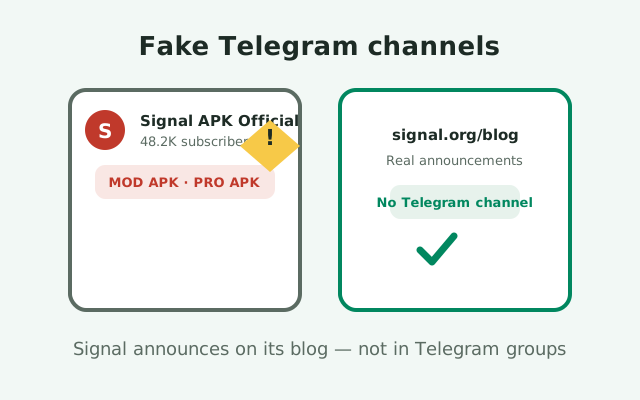
Fake "Signal APK" Telegram channels promise the newest version, "pro" editions, or exclusive mods, and what they actually distribute are modified APK files that can carry spyware. These channels borrow Signal's name, rack up thousands of subscribers, and post download links to files Signal never published. There is no "Signal Pro," no "Signal Plus," and no official Signal channel on Telegram handing out APKs. Signal publishes updates on its own blog and its own site. If a Telegram channel is offering you a Signal APK, you are already looking at a scam. Here is the anatomy of how these channels operate, the red flags that give them away, and what to do if you already installed one of their files.
How these channels operate
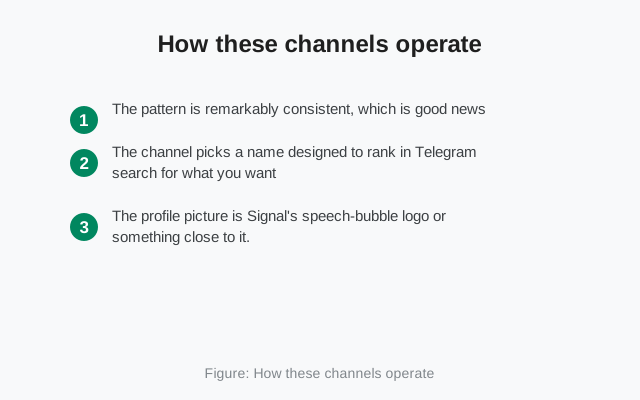
The pattern is remarkably consistent, which is good news: once you have seen one, you will recognize the rest. The channel picks a name designed to rank in Telegram search for what you want: "Signal APK Official," "Signal APK Latest," "Signal Mod Pro," sometimes with a flag emoji or a "2026" suffix to look current. The profile picture is Signal's speech-bubble logo or something close to it. The subscriber count looks impressive (tens of thousands) because fake channels buy subscribers the same way spam pages buy followers.
The download-link feed
The content is a feed of download links. Each post shows a version number, a file size, a list of supposed "features," and a download button or a link to an external file host. The posts often claim the file is newer than what is actually available, or they offer editions that do not exist: "Signal Pro," "Signal Premium," "Signal with extra themes," "Signal anti-ban." None of these are real products. Signal ships one app. The extra features in a modded APK are the bait; the payload is the actual product.
Manufactured engagement
Engagement is manufactured. Comments are full of praise from accounts that exist only to praise. Forwarded posts from other fake channels create a little ecosystem of cross-promotion. Some channels run "giveaways" or ask you to invite friends to unlock downloads, which turns their victims into recruiters. The whole operation is a distribution funnel for modified APKs, and the Telegram channel is just the storefront. The real question is what is inside the files, which we cover below. But first, the checklist that lets you spot these channels in ten seconds.
Red flags checklist
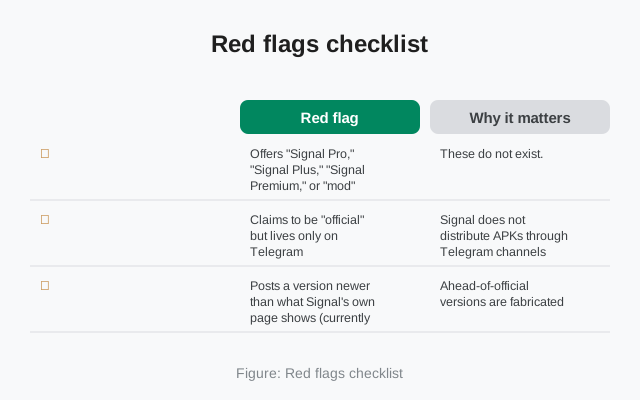
This is the information-gain element for the page: the complete red-flag checklist. If a channel hits two or more of these, leave.
| Red flag | Why it matters |
|---|---|
| Offers "Signal Pro," "Signal Plus," "Signal Premium," or "mod" editions | These do not exist. Signal ships one app; anything else is modified by a stranger |
| Claims to be "official" but lives only on Telegram | Signal does not distribute APKs through Telegram channels |
| Posts a version newer than what Signal's own page shows (currently 8.29.3) | Ahead-of-official versions are fabricated |
| Download links go to file hosts, URL shorteners, or "mirror" sites | The real file comes from Signal's servers, not a file locker |
| Asks you to disable Play Protect or allow unknown sources "for the mod to work" | Legitimate software never asks you to lower your defenses as a precondition |
| Comments are uniformly glowing, with no criticism or real discussion | Manufactured engagement; real communities argue |
| Requires inviting friends or forwarding posts to "unlock" downloads | Growth hacking borrowed from pyramid schemes |
| Promises features like "see deleted messages," "ghost mode," or "unlimited themes" | These violate how Signal works; a file claiming them is tampered with |
| Urgency language: "last version before ban," "download before it's removed" | Pressure tactics to stop you from checking the real source |
Notice how many of these are checkable in seconds. You do not need technical skills to compare a channel's claimed version against Signal's own page, and you do not need to analyze code to notice that "Signal Pro" is not a thing. The scammers count on you not checking. Check anyway. Our broader guide to telling real and fake Signal APKs apart covers the file-level checks for anything you have already downloaded.
What the modified files can do
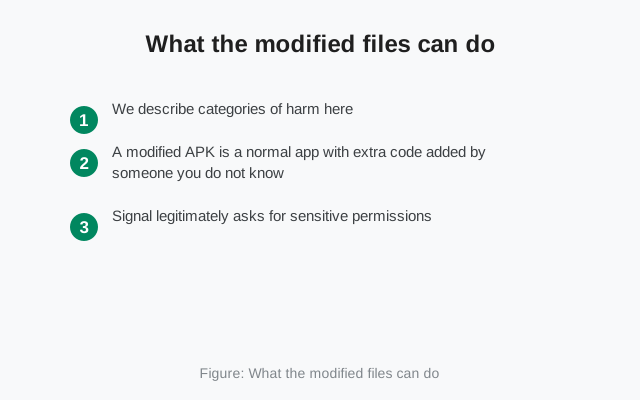
We describe categories of harm here, not invented incidents. A modified APK is a normal app with extra code added by someone you do not know, running with every permission the app holds. Signal legitimately asks for sensitive permissions (contacts, microphone, camera, storage, SMS) because a messenger needs them. In a tampered build, those same permissions serve the attacker.
Spyware: the most common category
The most common category is spyware: the modified app reads your messages, logs what you type, accesses your contacts and media, and sends copies to a server the attacker controls. Because it looks and works like Signal, you keep using it normally while it exfiltrates. The second category is financial fraud: premium-SMS trojans that silently send texts to expensive numbers, or code that watches for banking apps and overlays fake login screens. The third is account theft: harvesting session tokens and credentials stored on the device to take over your other accounts. A fourth, quieter category is botnet recruitment: your phone becomes a node for spam, ad fraud, or distributed attacks, burning your battery and data in the background.
It never announces itself
None of this announces itself. There is no skull icon, no warning popup. The modified app's entire design goal is to be indistinguishable from the real thing for as long as possible. That is why prevention (never installing the file) beats detection every time, and why the red-flag checklist above matters more than any antivirus scan after the fact. If a deal looks too good ("all premium features free"), the price is being paid somewhere you cannot see.
Fake verification badges and impersonation tricks
"But the channel had a blue checkmark." Telegram's verification marks are widely misunderstood, and scammers exploit that. A checkmark on a channel means Telegram verified the channel's identity according to Telegram's criteria. It does not mean Signal endorses it, and fake channels have worn borrowed credibility for years. More importantly, scammers fake the marks themselves: a checkmark emoji in the channel name, a profile picture containing a badge graphic, or a name like "Signal Official ✓" with the tick as a Unicode character.
Other impersonation tricks to know:
- Usernames that are one character off from anything plausible.
- Channels that forward real posts from Signal's actual blog to look legitimate between their download links (a few genuine posts are cheap camouflage).
- "Admin" accounts that DM you offering personal help with installation.
Signal's team does not DM strangers on Telegram to help them install APKs. Anyone doing that is running a social-engineering funnel, not a help desk.
The defense is boring and effective: ignore every badge, every subscriber count, every claim. The only question that matters is "where did the file come from," and the only acceptable answer is Signal's own infrastructure. Everything else is theater.
Where Signal actually announces things
Signal announces releases and news in exactly the places you would expect from a serious software project: its official blog at signal.org/blog, its own website, and its official social media accounts linked from that site. New Android versions appear on the official APK page, which is the single source of truth for the website build (currently version 8.29.3). There is no secret Telegram channel with earlier access, no Discord server with exclusive builds, no WhatsApp group for beta testers.
This is worth internalizing as a general rule, because it applies far beyond Signal. Legitimate software projects announce in public, linkable, attributable places. They do not whisper releases through ephemeral chat channels that cannot be independently verified. When in doubt about any announcement, navigate to signal.org yourself (type it, do not click a link) and check. Thirty seconds of direct verification beats an hour of wondering.
One more honest note: the absence of an official Telegram channel does not mean every Telegram mention of Signal is a scam. Security researchers, journalists, and ordinary users discuss Signal on Telegram all the time. The scam is specifically channels distributing files under Signal's name. Discussion is fine; downloads are the trap.
If you already installed one of their files
If you installed an APK from one of these channels, act promptly but calmly. First, uninstall the app: long-press the icon or go through Settings, then Apps, and remove it completely. Do not try to "update it to the real version" over the top; a tampered app cannot be trusted to update itself honestly.
Second, assume the worst about what it saw while installed and rotate accordingly. Change passwords for important accounts, especially email and banking, from a different device. Check your carrier bill for unexpected premium SMS charges. If you entered any verification codes or one-time passwords while the modified app was installed, treat those accounts as potentially compromised and re-secure them.
Third, re-register properly. Install the genuine Signal from Signal's official page or the Play Store, register your number, and verify the signature using our SHA-256 verification guide. If registration lock was on, you will need your Signal PIN. Fourth, consider a factory reset if anything about the phone's behavior still seems off after removal: battery draining fast, data usage spiking, unfamiliar apps. It is the only way to be sure nothing else was planted.
Finally, report the channel inside Telegram and warn anyone you invited. Reporting will not get your time back, but it raises the cost for the operator and protects the next person who searches for "Signal APK" in that app.
from Signal's official site — file hosted by Signal, not by us
Frequently asked questions
Is there an official Signal channel on Telegram?
No. Signal does not distribute APKs or announce releases through Telegram channels. Official news comes from signal.org/blog and Signal's own website.
The channel has thousands of subscribers and a checkmark. Can it still be fake?
Yes. Subscriber counts can be bought, and checkmarks can be faked with Unicode characters or badge graphics. The only thing that matters is where the file comes from.
What is 'Signal Pro' or 'Signal Plus' on Telegram?
They are not real products. Signal ships one app. Any 'Pro' or 'Plus' edition is a modified APK made by a stranger, and it may contain spyware or fraud code.
Can a modded Signal APK steal my messages?
Yes. A modified app runs with the same permissions as the real one, so it can read your chats, contacts, and media and send copies to an attacker's server while looking completely normal.
I installed an APK from a Telegram channel. What now?
Uninstall it immediately, change important passwords from another device, check for suspicious charges, then install the genuine app from Signal's official page and verify its signature.
Keep reading
- telling real and fake Signal APKs apart: file-level checks for anything already downloaded
- the 'Signal Pro APK' scam in detail: why premium editions cannot exist
- how APK malware works on Android: the technical side of tampered apps