
Typing indicators and read receipts are telling people things about you
Published: October 7, 2026 · Updated: October 8, 2026
Signal's typing indicators, the three dots that appear while someone is writing, and its read receipts, the little marks showing a message was seen, quietly broadcast your presence and attention to the people you chat with. They tell a contact you are online, that you are looking at the conversation, and how fast you reply. For most chats that is harmless convenience. But in sensitive situations it becomes a surveillance feed: an abusive ex watching for the dots to appear, a boss noting exactly when you read their message, anyone tracking your sleep schedule by when you start typing at night. Both features have a single toggle each in Signal's privacy settings, and both come with the same trade-off: turn yours off and you stop seeing everyone else's too. This guide explains what each one leaks, where the switches live, and how to decide.
Nothing here requires technical skill. Just knowing the switches exist. Most people have never opened these settings, which is exactly why the dots keep talking about them.
What each feature actually shows
Two separate features, two separate switches, one shared theme: presence information: data about what you are doing right now, as opposed to what you wrote.
Typing indicators. When you start typing in a one-to-one chat, the other person sees an animated "typing..." signal. It appears when you begin typing and disappears when you stop or send. It is live and continuous: every pause and restart of your typing is visible on the other end. Think of it as a tiny live camera pointed at your keyboard, visible only inside that one conversation.
Read receipts. When you open a conversation and view a message, the sender's copy of that message gets marked as read. In a one-to-one chat this is the classic "seen" state; in groups, receipts work per member, so a sender can see who has read a message and who has not. Unlike typing indicators, receipts are persistent. The "read" mark stays on the message.
Both are on by default. That default makes sense for Signal's design philosophy, a messenger should feel alive and responsive, but defaults are choices made for the average user, not for you specifically. If your situation is not average, change them.
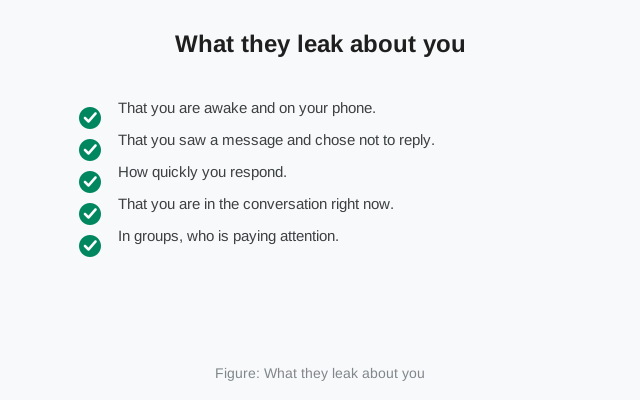
What they leak about you
Presence information feels trivial until you list what a motivated observer can extract from it:
- That you are awake and on your phone. Typing dots at 3 a.m. are a timestamped record of your wakefulness, visible to whoever you are chatting with. Do this nightly and someone can map your sleep schedule without any special tools.
- That you saw a message and chose not to reply. Read receipts turn "I didn't see it" from a plausible excuse into a documented fact. In tense relationships, work, family, dating, that documented fact starts arguments.
- How quickly you respond. Over weeks, the pattern of dots-then-reply versus read-then-silence builds a profile of your responsiveness. Employers and anxious contacts both read this profile, consciously or not.
- That you are in the conversation right now. The typing indicator tells the other person you are looking at the chat at this moment. Combined with read receipts, it removes all ambiguity about your attention: they know you are there, they know you saw it, they know you are deciding what to say.
- In groups, who is paying attention. Per-member read receipts in a group chat are a roll call. In a work group or an activist group, the list of who read what and when is genuinely sensitive information about people's engagement and availability.
None of this is a bug. Every mainstream messenger has some version of these signals. The point is that they are signals about you, broadcast continuously, to people you may not have chosen to inform. Most users never realize they are transmitting.
Where the toggles live
Both switches live in Signal's privacy settings on your phone. I am deliberately not giving you a memorized menu path here. Signal renames and reshuffles settings between versions, and a wrong path is worse than a general one. open Signal's settings, find the privacy section, and look for the typing-indicator and read-receipt toggles. They are plain on/off switches with clear labels. If you want the exact tap path for your version, our read receipts control guide walks through it step by step.
What each switch does, precisely:
- Typing indicators off: your contacts no longer see when you are typing. The change is immediate and applies going forward.
- Read receipts off: senders no longer see when you have read their messages. Your messages still send and deliver normally. The delivery system is untouched; only the "seen" state disappears.
Both switches are independent: you can kill the dots but keep read receipts, or vice versa, or turn off both. They also apply to your linked computers. Turning them off on the phone covers the whole account, so Desktop stops broadcasting too. There is nothing separate to configure on the desktop app.
from Signal's official site — file hosted by Signal, not by us
The mutual trade-off
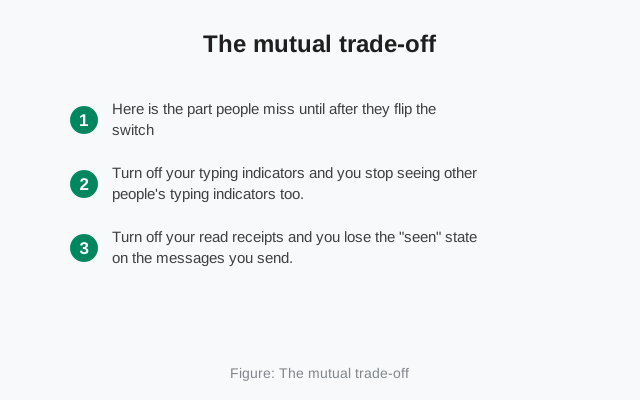
Here is the part people miss until after they flip the switch: these settings are mutual. Turn off your typing indicators and you stop seeing other people's typing indicators too. Turn off your read receipts and you lose the "seen" state on the messages you send.
Why it is designed this way
This is not Signal punishing you. It is the only fair design. If you could hide your own presence while still watching everyone else's, the feature would be a one-way surveillance tool. Mutuality keeps it honest: privacy for you means privacy for them.
In practice, the trade-off is cheap
In practice, most people find the trade-off cheap. Ask yourself: how often does seeing someone else's typing dots actually change what you do? You were going to wait for the reply anyway. And read receipts on your sent messages are mostly anxiety fuel: watching the "seen" mark sit there while no reply comes. Many people report that turning both off makes messaging calmer, not just more private. The social pressure of the read receipt ("they saw it two hours ago, why haven't they replied") cuts both ways, and opting out ends it in both directions.
The exception: chats where receipts matter
The exception is coordination chats where receipts matter functionally: a work group where "everyone confirmed they read the announcement" is load-bearing, or a family chat where read receipts substitute for replies. In those specific chats, the mutual loss is real. Which brings us to scope.
Global vs per-chat, and groups
Be honest about what these switches are: account-wide settings. There is no per-contact or per-chat toggle for typing indicators or read receipts in Signal. It is one switch for the whole account. You cannot hide your typing from your boss while showing it to your partner. This is a deliberate simplicity: per-chat presence settings would be a confusing mess of "who sees what," and Signal chose the clean global switch.
That global scope shapes the decision. If exactly one contact makes you want the dots off but twenty others benefit from them, the switch still affects all twenty-one. For most people the answer is still "turn them off", the benefit to the twenty is marginal, the risk from the one can be serious, but go in with open eyes.
Group behavior deserves its own note. Typing indicators are a one-to-one-chat feature: they show while someone types in a direct conversation. In groups, the presence dynamics come from read receipts instead: the per-member "seen" list described above. Turning off read receipts removes you from that roll call entirely: you still read everything normally, but nobody gets a checkmark with your name on it. In sensitive groups (organizing, support groups, anything where attendance itself is information), that is a meaningful protection.
One more scope detail: these settings travel with your account, not your device. Link a new computer and the same choices apply there: no separate configuration, no leak through the desktop app you forgot about.
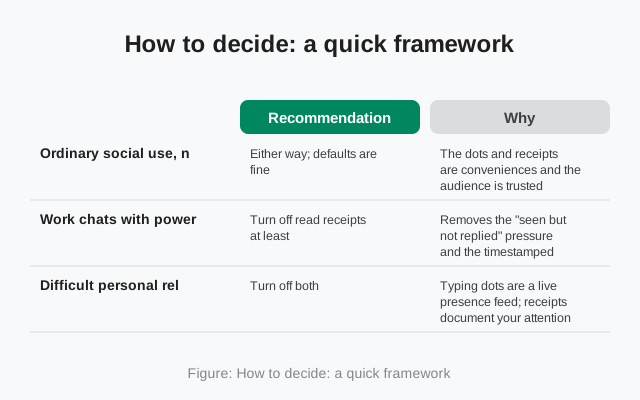
How to decide: a quick framework
Run through this once and you will know where you stand:
| Your situation | Recommendation | Why |
|---|---|---|
| Ordinary social use, no sensitive contacts | Either way; defaults are fine | The dots and receipts are conveniences and the audience is trusted |
| Work chats with power dynamics | Turn off read receipts at least | Removes the "seen but not replied" pressure and the timestamped attention record |
| Difficult personal relationships | Turn off both | Typing dots are a live presence feed; receipts document your attention. Neither belongs to someone monitoring you |
| Sensitive group memberships | Turn off read receipts | Keeps you off the per-member roll call |
| You just dislike the social pressure | Turn off both and enjoy the calm | The mutual trade-off is a feature here, not a cost |
And the situations where you might keep them on: genuine coordination needs (a team that relies on read confirmations), or accessibility: some people with visual or cognitive needs find the explicit "seen" state reassuring rather than stressful. There is no moral to this story; it is a settings page, not a virtue test.
Final honest note: turning these off does not make you invisible. Your contacts still see when you are replying, messages arriving at 3 a.m. speak for themselves, and nothing here hides your online status from your network provider or from Signal's servers. What it does is narrower and still worthwhile: it stops the app from narrating your moment-to-moment attention to everyone you chat with. For a two-switch change that takes ten seconds, that is a good trade.
Frequently asked questions
How do I turn off typing indicators on Signal?
Open Signal's settings, go to the privacy section, and switch off the typing-indicator toggle. Your contacts will no longer see when you are typing, and you will no longer see when they are.
Can I turn off read receipts on Signal?
Yes. The read-receipt toggle is in the same privacy settings area. With it off, senders cannot see when you have read their messages, and you cannot see read states on messages you send.
If I turn off read receipts, can I still see others'?
No. The setting is mutual: hiding your own read state also hides everyone else's from you. The same applies to typing indicators.
Can I disable typing indicators for one person only?
No. Both toggles are account-wide. There is no per-contact or per-chat setting. The choice applies to every conversation equally.
Do read receipts work in Signal group chats?
Yes. Group messages show per-member read states, so senders can see who has read a message. Turning off read receipts removes you from that per-member list.
Keep reading
- Why Signal has no 'last seen': the other half of the presence story
- Screenshot risks on Signal: what the app can and cannot block
- Profile photo & about visibility: controlling what contacts see about you
- Privacy guides hub: every Signal privacy guide in one place
- Read receipts control guide: the exact tap path for both toggles, with what each checkmark means