
Your stories, your audience: what Signal lets you control
Published: October 7, 2026 · Updated: October 8, 2026
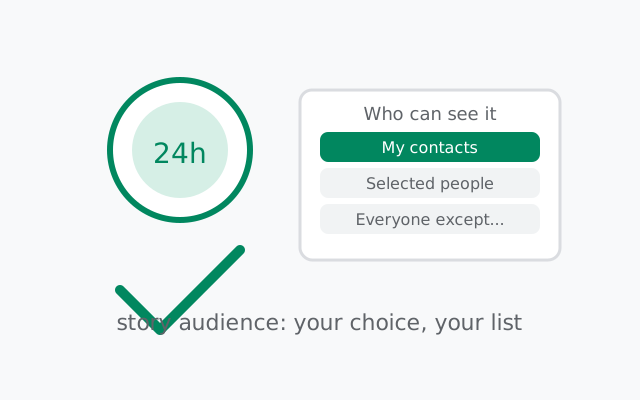
Signal stories have real audience controls: you choose who sees them: all your contacts, a hand-picked list of people, or everyone except specific people you hide them from. Every story is end-to-end encrypted like everything else in Signal, expires after 24 hours, and shows you a viewer list so you can see exactly who watched it. Profile privacy is a separate system. Your profile photo, name, and about text follow their own visibility rules, and changing your story audience does not change who sees your profile. This guide covers the audience options Signal actually gives you, what the viewer list tells you, and the honest limits (yes, someone can still screenshot a story).
Stories feel casual, but they are broadcasts. A story goes out to everyone on your audience list at once, including contacts you added years ago and rarely talk to. That is why the audience control matters more than any other story setting: ten seconds of choosing "selected people" instead of "all contacts" is the difference between sharing with friends and performing for your entire address book.
What Signal stories are: the 30-second version
Stories are short photo or video updates that appear in a separate stories area of the app and disappear after 24 hours. They work like stories on other platforms: you post, your audience views, then they are gone. But under the surface they are built the Signal way. End-to-end encrypted, so the content is sealed on your phone and can only be opened by the devices of the people in your audience. Signal's servers carry the story the way they carry a message: ciphertext they cannot read.
Stories differ from regular messages in two ways that matter for privacy. First, they are one-to-many: a single post reaches your whole audience at once, which means your worst-case viewer is whoever is least trustworthy on the list, not your average friend. Second, they are ambient: people can view a story without replying, which makes viewing feel invisible even when it is not (more on the viewer list below). Treat stories as publishing, not messaging. That one mental shift prevents most story-privacy mistakes.
A practical note before the controls: stories are a feature you can simply not use. If your threat model is strict, journalists, activists, anyone whose audience list is sensitive, the safest story setting is no stories at all. Nothing here is mandatory. Every control below exists for people who want the feature; "off" is always a valid choice.
Who can see your stories: the audience options
Signal has three story types, each with its own audience. I am describing them in words rather than giving a memorized menu path, because Signal renames settings between versions and a wrong path is worse than a general one. Open Signal's stories area and look for the story and audience options. Here is what each type means:
- My Story. The default story. Share it with all your Signal contacts, or choose some or all of them, including hiding it from specific people. The problem: "all contacts" includes the landlord, the coworker from three jobs ago, and everyone you ever added to coordinate a single purchase. For most people, this list is far wider than their idea of "friends."
- Custom Story. A story you create with its own audience list. People on the list just see your story; they are not told they were selected. This is the tightest option and the one this guide recommends for anything personal. It is also how you give different groups different stories at the same time.
- Group Story. Shared to an existing group chat. Everyone in the group can view and reply, even if they are not in your Signal contacts.
Two things worth knowing about how these behave. First, the audience choice happens per story, not just globally: when you create a story you pick who that story goes to, and a Custom Story can stay narrower than your My Story default. Second, changing an audience affects new stories going forward; it does not retroactively un-see stories people already viewed. Someone who saw yesterday's story keeps that memory regardless of today's settings.
Which to pick? A simple rule: if you would not invite the person to your home, do not give them your stories by default. Most people's "all contacts" list fails this test badly. The "selected people" list is the honest version of your social circle, and building it once is the highest-value story-privacy action on this page.
from Signal's official site — file hosted by Signal, not by us
The viewer list: who watched your story
Every story you post keeps a list of who viewed it, visible only to you. Tap into a story's view details and you see the names. This is the feature's accountability mechanism: unlike ambient social feeds where views are invisible, Signal shows you the audience that showed up.
As a poster
It tells you who is actually in your audience in practice, not just in theory. Posted a story about a job interview and saw your boss's name on the viewer list? That is your cue to revisit the audience setting: the list told you before any damage was done. Check viewer lists on your first few stories; they are the fastest way to discover that your audience is wider than you thought.
As a viewer
Remember the symmetry: when you watch someone's story, they can see that you watched it. There is no anonymous viewing. This trips people up constantly. They treat stories like a feed they can browse invisibly, then discover the poster saw their name. If you do not want someone to know you are watching their stories, do not watch them. There is no workaround, and that is by design.
The viewer list also has a natural limit: it shows views of that story while it is alive. Once the 24 hours pass and the story expires, the viewing window closes with it. The list is a during-broadcast record, not a permanent log, which is the right scope for it.
Stories and screenshots: the honest answer
Here is the limit nobody's story feature can fix: a viewer can screenshot your story, or photograph the screen with another device. Signal stories are encrypted in transit and on the wire, but once a story is displayed on someone's screen, that person can capture it with tools Signal cannot control. The story disappears after 24 hours from Signal; the screenshot does not disappear from their camera roll.
This is the same limitation as disappearing messages (our disappearing-messages limits guide covers it in depth), and it deserves the same blunt rule: do not post anything in a story that would harm you if it became permanent. A story is a 24-hour broadcast with a delete timer, not a confidential channel. The timer deletes the post from Signal's systems and from viewers' story feeds. It does not reach into anyone's screenshots folder.
What does this mean in practice? Stories are fine for everyday life: your lunch, your dog, a sunset, a casual announcement to friends. They are not the place for anything you would not want forwarded: documents, credentials, addresses, anything sensitive about other people, anything your employer should not see. The audience control decides who gets the first look; the screenshot reality decides what you should post at all. Both halves matter.
Story privacy vs profile privacy
People constantly confuse these, so here is the clean separation:
| Stories | Profile (photo, name, about) | |
|---|---|---|
| What it is | 24-hour posts you publish | Your identity card in the app |
| Who sees it | Your chosen story audience (contacts, selected people, or everyone-except) | Follows profile visibility rules. Separate setting, covered in our profile privacy guide |
| Duration | Expires after 24 hours | Persistent until you change it |
| Viewer list | Yes. You see who watched | No viewer tracking |
| Encryption | End-to-end encrypted | Profile data is shared with contacts per your settings |
| Screenshot risk | Yes. Viewers can capture. | Yes. Anyone who sees it can capture it. |
The key takeaway: changing your story audience does not change who sees your profile photo, and changing your profile visibility does not change who sees your stories. They are two independent settings. If you lock down your stories to "selected people" but leave your profile photo visible to everyone, strangers still see your photo, and vice versa. Set both, deliberately, or you have secured the wrong door.
Muting stories you do not want to see
Privacy runs both ways, and the other half of story controls is about your feed: you can mute stories from specific contacts so their updates stop appearing in your stories area. The person is not notified. Muting is silent. They can still message you normally; you just stop seeing their broadcasts.
Muting is underused as a privacy tool. People think of it as a social snub, but it is better understood as attention hygiene: every story you watch is a small disclosure about you (the viewer list shows your name, remember). Muting the contacts whose stories you watch out of obligation, the coworker, the distant relative, removes those little disclosures without the social cost of removing the contact.
Muting also pairs well with a tight audience list. Your stories go to selected people; their stories you mute or unmute at will. The result is a small, deliberate broadcast circle instead of a noisy feed where everyone watches everyone. That is what stories were supposed to be.
Seven house rules for story privacy
- Default to "selected people," not "all contacts." Build the list once. Your future self posts freely instead of self-censoring every time.
- Audit the list quarterly. Contacts accumulate. The list you built in January includes people whose role in your life changed by October. A five-minute review keeps it honest.
- Check viewer lists on your first few stories. They reveal who is really watching, which is the fastest way to catch an audience that is wider than you intended.
- Remember viewers are named. Watching is not anonymous. Do not browse stories you do not want to be seen browsing.
- Never post what a screenshot would ruin. The 24-hour timer deletes the post, not the captures. Documents, credentials, and sensitive details about others do not belong in stories.
- Set profile visibility separately. Story audience and profile visibility are independent. Locking one does not lock the other.
- Consider not posting at all. Stories are optional. For high-stakes situations, "no stories" is a complete and valid privacy posture.
Frequently asked questions
Who can see my Signal stories?
Your story audience, which you choose in Signal's story settings: all your contacts, a selected list of people, or all contacts except specific people you hide them from. You can also narrow the audience for individual stories.
Can I see who viewed my Signal story?
Yes. Each story keeps a viewer list visible only to you, showing who watched it. Viewers cannot browse anonymously. The poster sees their name.
Are Signal stories end-to-end encrypted?
Yes. Stories are sealed with end-to-end encryption like regular messages. Signal's servers carry ciphertext they cannot read. They expire after 24 hours.
Can someone screenshot my Signal story?
Yes. Nothing stops a viewer from screenshotting a story or photographing the screen with another device. Never post anything in a story that would harm you if it became permanent.
Does changing my story audience change my profile privacy?
No. Story audience and profile visibility (photo, name, about) are independent settings. Changing one does not change the other. Set both deliberately.
Keep reading
- Profile photo & about visibility: the other half of the story/profile split
- Disappearing messages — limits: the screenshot honesty, in full
- The full lockdown checklist: every setting that matters, in impact order
- Privacy guides hub: every Signal privacy guide in one place
- how stories work: posting steps, muting stories and deleting them