
How to set up a Signal proxy when Signal is blocked in your region
Published: October 7, 2026 Updated: October 8, 2026
A Signal proxy lets you reach Signal's servers through a volunteer's server when your network blocks Signal directly. You type the proxy's address into a setting inside the Signal app, flip a switch, and your traffic takes the detour. Setup takes about a minute. The part that deserves attention is not the setup but the trust: a proxy operator can see connection metadata, so only use proxies run by people or organizations you trust. This guide covers the setting, the address format, where people find proxy addresses, and when the built-in circumvention toggle is enough on its own.
from Signal's official site file hosted by Signal, not by us
What a Signal proxy is (and is not)
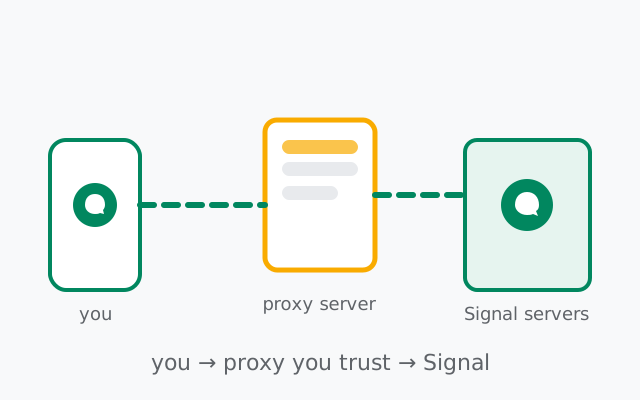
A proxy is a middleman server. Instead of your phone talking to Signal's servers directly, it talks to the proxy, and the proxy forwards the traffic along. To a network censor watching your connection, it looks like you are talking to some volunteer's server, not to Signal.
What a proxy is not:
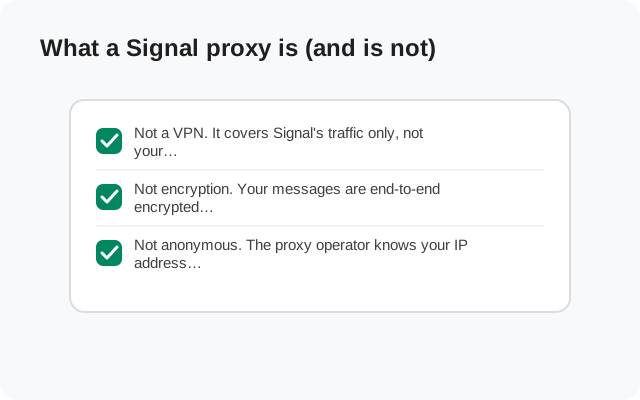
- Not a VPN. It covers Signal's traffic only, not your whole phone. Your other apps connect as normal.
- Not encryption. Your messages are end-to-end encrypted regardless. The proxy changes the route, not the protection. The proxy operator cannot read your message content, because the operator never holds your keys.
- Not anonymous. The proxy operator knows your IP address connected to their server, and when, and roughly how much data moved. That metadata visibility is the price of the detour, and it is why the trust section below matters.
First: try the built-in circumvention toggle
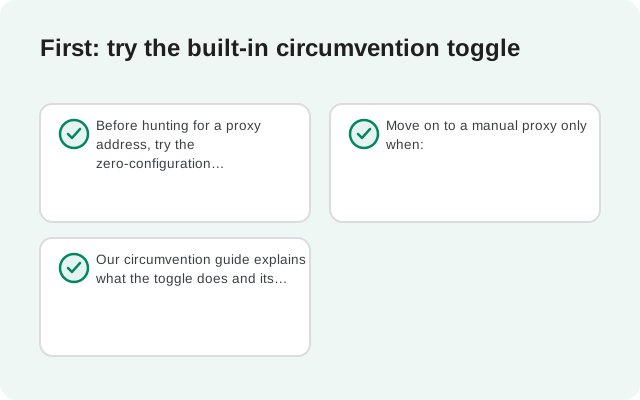
Before hunting for a proxy address, try the zero-configuration option. Signal for Android has a censorship circumvention toggle at Settings Privacy Advanced. One switch, no addresses, no strangers involved. If your network's blocking is the ordinary kind (Signal's server addresses refused), the toggle handles it.
Move on to a manual proxy only when:
- The circumvention toggle is on and Signal still cannot connect, or
- You are in a situation where you want a route controlled by a specific party you trust, rather than the built-in mechanism.
Our circumvention guide explains what the toggle does and its limits. The proxy below is the escalation path, not the starting point.
Setting up a proxy, step by step
The exact menu labels have shifted between app versions, so treat this as the shape of the flow and check Signal's current help pages if a label differs on your build:
Open Signal's settings and find the proxy option
Look in the app's settings for a proxy entry (it has historically lived near data and network settings). You are looking for a toggle or switch labeled for proxy use, plus a field for the proxy address.
Have your proxy address ready
You need the address of a working proxy, in the host-and-port format described in the next section. Without an address, there is nothing to configure; the setting alone does nothing.
Enter the address and enable the proxy
Type the address exactly as given, including the port number, then switch the proxy on. Signal will attempt to connect through it.
Confirm it connected
Send a test message to someone (or to yourself via a note-to-self chat). If it delivers, the proxy route works. If Signal shows a connecting or offline state, the address is dead or wrong; see the troubleshooting section.
Turn it off when you no longer need it
When you leave the blocked network, disable the proxy and return to the direct connection (or the circumvention toggle). Routing through a volunteer server indefinitely is slower and less private than a direct connection.
Type the address carefully. The single most common proxy failure is a typo: a wrong port, a missing character, a stray space. Copy and paste the address rather than retyping it, and double-check the port number.
The address format Signal accepts
Signal's proxy setting takes a server address with a port, in the familiar host:port shape: a hostname or IP address, a colon, and a port number. Community proxy lists publish their entries in exactly this format, so what you copy from a list is what you paste into the setting.
Two honest notes on the format:
- We publish no addresses here. Proxy servers come and go; any address printed in a guide would be dead or untrustworthy within weeks. Get addresses from live sources (next section), not from static articles, including this one.
- Signal's proxies are TLS-based forwarding proxies. You do not need to understand the protocol, but know that the proxy needs to be a server actually running Signal-compatible proxy software. A random web proxy or VPN endpoint will not work just because it has a port open.
Where to find proxy addresses
Proxy addresses are shared, not sold. The live sources, described generically because specific lists change constantly:
- Signal's own announcements. When blocking events happen, Signal has published proxy information through its official channels. This is the most trustworthy source: addresses from Signal itself, or from organizations Signal points to.
- Community-maintained lists. Volunteers maintain lists of public proxies, often with status indicators showing which are currently alive. These are convenient and also the riskiest source; see the trust section.
- People you know. Anyone can run a proxy server using Signal's published proxy software. A proxy run by a friend, a colleague abroad, or an organization you trust beats any public list. If you have contacts outside the blocked region, asking them to run one for you is the gold standard.
Whatever the source, verify the address is current. Dead proxies are the norm, not the exception: volunteers' servers go offline, IP addresses change, and lists go stale. If one address fails, try another before concluding the feature is broken.
Frequently asked questions
How do I set up a proxy in Signal?
Find the proxy option in Signal's settings, enter a proxy address in host:port format, and enable it. Confirm with a test message. Menu labels have shifted between versions, so check Signal's current help pages if a label differs.
Where can I find a free Signal proxy?
From Signal's own announcements during blocking events, from community-maintained proxy lists, or best of all, from someone you know running one. We publish no addresses here because proxies go stale within weeks.
Can the proxy owner read my Signal messages?
No. Messages are end-to-end encrypted with keys the proxy never holds. The operator can see connection metadata (that you connected, when, and how much data moved) but never message content.
Is using a Signal proxy safe?
The content stays encrypted, but you must trust the operator with metadata. Prefer proxies run by people or organizations you trust; treat random public proxies as untrusted infrastructure suitable only for ordinary chatting.
Do I need a proxy if the censorship circumvention toggle works?
No. The built-in toggle needs no addresses and no third party. Use a manual proxy only when the toggle fails or you want a specific trusted route.
Why wont my Signal proxy connect?
Usually a dead or mistyped address. Proxies go offline constantly, so try another address and copy-paste carefully. Also try disabling the circumvention toggle while the proxy is on, and confirm your base internet connection works.
The trust warning, taken seriously
This is the section most proxy guides bury. Read it first, not last.
A proxy operator sits in the middle of your connection. The end-to-end encryption means they cannot read your message content; that protection does not depend on trusting them. But they can observe:
- That you use Signal. Your traffic goes to their server and then to Signal's. The pattern is visible.
- When you connect and for how long. Connection timing is metadata, and metadata has put people in danger.
- How much data you move. Roughly: message-sized bursts versus call-sized streams are distinguishable.
- Your IP address. Which reveals your network location unless you take further steps.
Practical rules:
- Prefer proxies run by people you can name. A friend's server, a known organization's server, an address published by Signal itself. In that order.
- Treat random public proxies as untrusted infrastructure. Use them when you must, for ordinary chatting, not for anything where connection metadata could harm you.
- Never enter credentials into a proxy prompt. Signal's proxy setting asks for an address, not a username and password for your Signal account. Anything asking for account credentials in the name of proxy setup is phishing.
- A proxy is not Tor. If your threat model requires hiding that you use Signal at all from a capable adversary, a proxy does not do that. Be honest with yourself about what you need.
The one-line version: the proxy protects your messages' content from the censor; it does not protect the fact of your Signal use from the proxy operator. Choose operators accordingly.
Built-in circumvention vs manual proxy
| Built-in circumvention toggle | Manual proxy | |
|---|---|---|
| Setup effort | One toggle, nothing to find | Find a live address, enter it, test it |
| Trust required | None beyond Signal itself | Must trust the proxy operator with metadata |
| Defeats address blocking | Yes | Yes |
| Works when circumvention path is blocked too | No | Often yes. A different route |
| Speed | Slightly slower than direct | Depends on the proxy; often slower |
| Maintenance | None | Addresses die; you re-find them |
| Best for | First response to blocking | When the toggle fails, or a trusted specific route is wanted |
If it does not connect
Work through these in order:
- Check the address for typos. Host, colon, port, no spaces. Copy-paste beats retyping.
- Try a different proxy address. The most likely cause of failure is a dead proxy, not a broken setting. Lists go stale fast.
- Confirm the circumvention toggle is off. Running both the built-in circumvention and a manual proxy at once can conflict; use one route at a time.
- Check your base internet connection. A proxy defeats blocking of Signal, not a dead network. If nothing loads, the problem is below Signal.
- Restart the app. After changing proxy settings, fully close and reopen Signal before judging the result.
- Consider that proxies may be blocked too. In the most aggressive blocking environments, known public proxy addresses get blocked as fast as they are published. This is when a private proxy run by someone you know becomes the answer.
If none of this applies because you cannot even install Signal, the problem is app distribution, not connectivity: get the APK directly from signal.org/android/apk instead of the blocked app store.
Keep reading
- Signal's built-in censorship circumvention: try the one-toggle option first
- can police read Signal messages?: a different kind of adversary
- downloading the official Signal APK: when the app store is blocked too
- the privacy guides hub: every privacy guide in one place
from Signal's official site file hosted by Signal, not by us