
Signal on dual-SIM phones: which number does what
Published: October 7, 2026 Updated: October 8, 2026
Signal Foundationfrom Signal's official site file hosted by Signal, not by us. signal.org/android/apk
Dual-SIM phones are the norm across much of the world, and they create exactly one confusion about Signal: people assume the app is somehow tied to "SIM 1" or "SIM 2." It isn't. Signal doesn't care about SIM slots at all. It cares about the phone number you type during registration. Everything on this page follows from that one fact.
This guide applies whether you installed Signal from the Play Store or from the official APK (signal.org/android/apk, website build 8.29.3). Registration works identically on both builds. If you haven't installed yet, the no-Play-Store install guide covers the APK path; brand-specific steps live in our Samsung and Xiaomi guides.
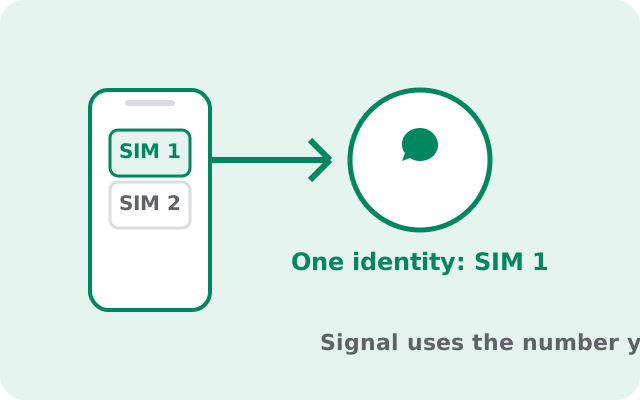
The one rule to remember
Signal registers the number you type, not the SIM in a particular slot. When you enter +92 300 1234567 at registration, Signal sends the verification code to that number. Whichever SIM currently holds that number receives the SMS. The other SIM is irrelevant to Signal. It can be for data, for calls, or sitting idle.
This is why "which SIM does Signal use?" is the wrong question, and why the answers online contradict each other: everyone assumes their own setup is the rule. The rule is the typed number. Once you internalize that, every scenario below answers itself.
A corollary: after registration, Signal doesn't need the SIM at all. The account lives on Signal's servers tied to your number, and the app on your phone authenticates with cryptographic keys, not with the physical SIM. You can remove the SIM after registering and Signal keeps working over Wi-Fi. Our no-SIM guide explores that in depth.
One edge case worth knowing: some dual-SIM phones let you disable a SIM in software without removing it. To Signal, a disabled SIM is the same as an absent one. Nothing changes, because Signal never talked to the SIM hardware in the first place. The only thing that matters is whether the number you registered is still yours and reachable for any future re-registration.
Registering: SIM 1 or SIM 2?
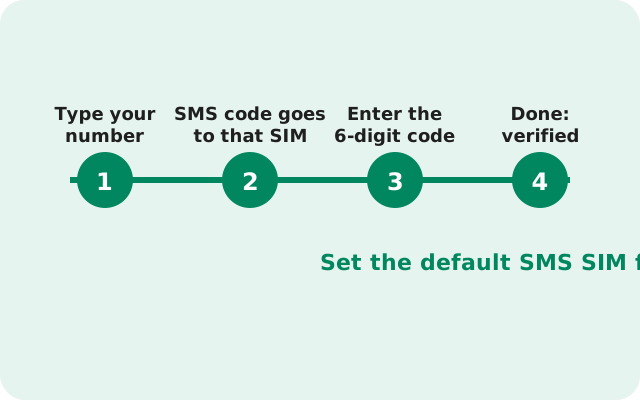
It doesn't matter which slot holds the number. During registration:
- Make sure the SIM holding your chosen number is in the phone and can receive SMS (or calls).
- Enter the number with the correct country code.
- Wait for the SMS. On many dual-SIM phones the SMS arrives on the messaging app regardless of slot. Just read it and type the code into Signal.
- If SMS doesn't arrive, use the voice call option. Signal calls the number and reads the code aloud. This works even when SMS is flaky on one SIM.
One practical snag: some phones ask which SIM to use for SMS when you request the code, or the verification SMS goes to a SIM whose messages you rarely check. If the code seems missing, check the messaging app's per-SIM views. The code arrived; it's just sitting under the other SIM's tab. Also confirm mobile data or Wi-Fi is on: the app needs internet to complete registration even though the code comes by SMS.
Which number do your contacts see?
Your contacts see exactly the number you registered, nothing else. If you registered with the number on SIM 2, then SIM 2's number is your Signal identity, full stop. Nobody sees your SIM 1 number through Signal unless you give it to them separately.
This trips people up in one specific way: they register with a work number on SIM 1, then wonder why friends see the work number. That's not a bug; that's what you told Signal. If you want friends to reach you on your personal number, register with the personal number. The fix for a wrong choice is changing your number inside Signal (Settings Account Change phone number), not reinstalling.
Related: Signal's contact discovery matches your address book against registered Signal users by phone number. Having two SIMs doesn't create two identities and doesn't merge anything. One number, one identity, one account.
Switching the data SIM changes nothing
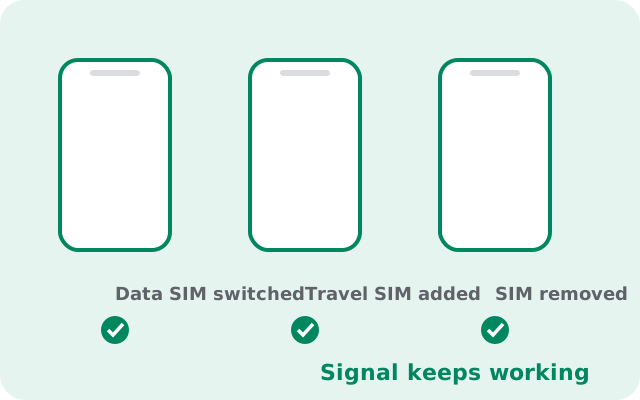
Many dual-SIM users run one SIM for calls and another for data, and switch the data SIM when traveling or chasing cheaper data. Changing the data SIM has zero effect on Signal. Your account, chats, and identity are untouched; the app just uses whatever internet connection is available.
The only interaction is indirect: if you switch data to a SIM with no data plan left, or to a SIM in a country where Signal's servers are blocked, the app can't connect. But that's a connectivity problem, not an account problem. Your registration doesn't move, your number doesn't change, and nothing needs reconfiguring when you switch back.
Same for swapping which physical slot a SIM sits in. Slots are meaningless to Signal. Move SIMs around freely; the app won't notice.
SIM scenarios, answered
| Scenario | What happens |
|---|---|
| Two SIMs, register with SIM 1's number | Signal identity = SIM 1's number. SIM 2 is irrelevant. |
| Two SIMs, register with SIM 2's number | Signal identity = SIM 2's number. SIM 1 is irrelevant. |
| Remove the registered SIM afterward | Signal keeps working over Wi-Fi or the other SIM's data. |
| Replace the registered SIM with a new number | Signal keeps working on the old number until you re-register. To move properly, use Change phone number in settings. |
| eSIM + physical SIM | Same rules. eSIM vs physical is invisible to Signal. |
| Phone with no SIM at all | Can't register fresh. You need a number that receives SMS/calls. But you can use Signal SIM-less after registering (see the no-SIM guide). |
Traveling with a local SIM
The classic travel setup: keep your home SIM for the number, add a local SIM for cheap data. Signal handles this perfectly. It doesn't care which SIM provides data.
The one thing to protect is registration. If you remove your home SIM entirely and put in only the local SIM, Signal keeps working on your home number over Wi-Fi or local data. Don't re-register with the local number unless you actually want to abandon your home-number identity. Re-registering moves your account to the new number and your contacts see the change.
If your trip is long and you worry about losing the home number, enable registration lock (Settings Account Registration lock, tied to your Signal PIN). That way, even if someone else gets your old number, they can't hijack your Signal account. And if you do want to switch numbers permanently while traveling, do it through Change phone number, which notifies your contacts properly.
Two Signal accounts on one phone?
Dual-SIM owners ask this more than anyone: can both numbers run Signal on the same phone? Yes, but not inside one copy of Signal. Each app instance holds one account, so your two SIM numbers need two app instances. The methods (OEM dual-app clones, Android work profiles, second user profiles), the two-number requirement, and the honest limits are all covered in our dedicated two-accounts-on-one-phone guide.
The dual-SIM-specific rule: each instance must register with a different one of your two numbers. One number, one account, always. And never try to alternate two numbers in a single Signal by re-registering back and forth. Each re-registration moves the account, wipes the local chat history, and spams your contacts with "safety number changed" notices. Either use a second app instance or accept one number per phone.
Fixing verification on the right SIM
When the verification code won't arrive, work through this order:
- Check both SIMs' message views. The code arrived. It's probably under the other SIM's tab in your messaging app.
- Confirm the number you typed, including country code. A wrong digit sends the code into the void.
- Wait out the timer, then request a voice call. Voice calls succeed where SMS fails, especially on roaming or congested networks.
- Check the SIM can actually receive. A SIM with no signal, an expired prepaid plan, or one sitting in slot 2 with mobile data disabled for that SIM can still usually receive SMS, but not always. Try moving it to slot 1 as a test.
- Too many attempts? Signal rate-limits code requests. Wait an hour before trying again rather than hammering the resend button.
If registration still fails after all of this, the problem is usually the number itself. Virtual/VoIP numbers are often blocked. Our no-SIM guide covers which number types work and which don't.
from Signal's official site file hosted by Signal, not by us. signal.org/android/apk