
WhatsApp APK vs Signal APK: the Official Channels, Compared
Published: October 7, 2026 · Updated: October 8, 2026
Most people find this site because their phone has no Play Store: a Huawei, a de-Googled phone, a device in a region where Google services are limited. If you are choosing between WhatsApp and Signal on such a phone, the first question is practical, not philosophical: where do I get the real file? Both publishers answer that question with an official download page. This page compares those two official channels, what each one gives you, and how to stay safe.
from Signal's official site — file hosted by Signal, not by us
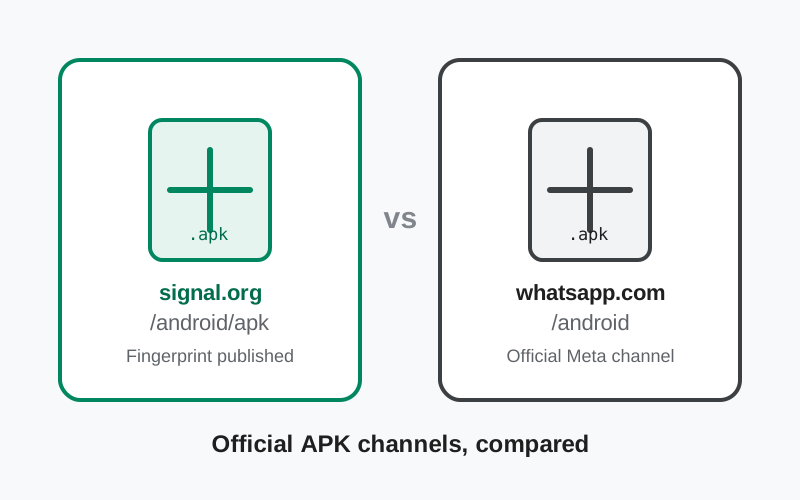
The two official channels, side by side
| Signal APK | WhatsApp APK | |
| Official APK page | signal.org/android/apk | whatsapp.com/android |
| Publisher | Signal Foundation (nonprofit) | WhatsApp LLC / Meta |
| Cost | Free | Free |
| Current website build | 8.29.3 (published on Signal's download page) | Published on WhatsApp's download page |
| Package name | org.thoughtcrime.securesms | WhatsApp's own package, from its official page |
| Verification offered | SHA-256 signing-certificate fingerprint published on the download page | Comes from WhatsApp's own official page; check the URL carefully |
| Signing vs Play build | Different signing key: the website build cannot install over the Play Store version (back up first) | Install the official file over the matching official install; mismatched sources can fail to install |
| Updates | Website build updates itself automatically | Install the newest official APK to update; the app also guides you |
| Install requirement | Allow "install unknown apps" for your browser | Allow "install unknown apps" for your browser |
Two official pages, two publishers, the same safety rule: the file must come from the publisher's own site. Everything below is about doing that correctly.
Signal's official APK channel
Signal's download page at signal.org/android/apk is the model of how this should be done. It serves the website build of Signal (currently version 8.29.3), a universal APK that works on all common Android architectures. The page publishes the SHA-256 fingerprint of Signal's signing certificate, so you can verify that the file you downloaded was genuinely signed by Signal before you install it. Our fingerprint verification guide walks through that check step by step.
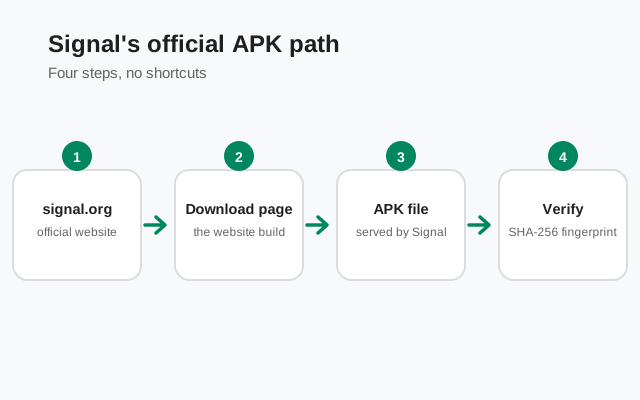
Two things make Signal's channel distinctive. First, the website build updates itself: once installed, it downloads and installs new versions on its own, so you are not stuck manually re-downloading every release. Second, the website build uses a different signing key than the Play Store build. Android treats those as different apps, so the APK cannot install over a Play Store installation. If you are switching from the Play version, back up your chats first, uninstall, then install the APK. Our Play-to-website migration guide covers the safe sequence.
WhatsApp's official APK channel
WhatsApp publishes its official APK at whatsapp.com/android, aimed at the same audience: Android users who cannot or do not want to use the Play Store. The file comes from WhatsApp's own servers, which is what makes it trustworthy. The download and install flow is familiar: download the file, allow your browser to install unknown apps when Android asks, and open the file to install.
WhatsApp's page is simpler than Signal's: it is a download page, not a verification tutorial. That puts more responsibility on you. Type the address yourself or use a bookmark rather than clicking a search result, because fake "WhatsApp APK" sites are one of the most common mobile malware lures in existence. Check that the domain is exactly whatsapp.com before you download anything. If a site offers you a "WhatsApp Plus," "GB WhatsApp," or "WhatsApp Pro" APK, close the tab: those are unofficial mods, and unofficial mods are where stolen accounts and malware live.
Verifying what you downloaded
Here the two channels differ, and honesty requires saying so. Signal gives you a concrete verification step: compare the signing-certificate fingerprint of the APK against the fingerprint published on its download page. It takes a few minutes with a free tool, and it proves the file came from Signal. Do it at least once, so you know what a genuine file looks like.
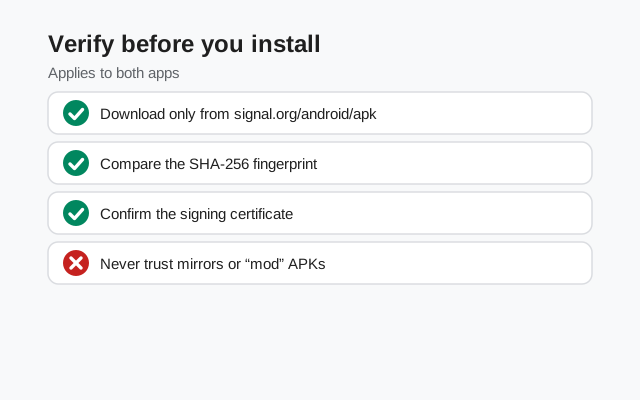
WhatsApp does not publish the same kind of fingerprint guide on its download page. Your verification there is procedural rather than cryptographic: confirm the URL is the official domain, download only from that page, and let Android's installer confirm the package. On either app, a useful sanity check is the install itself: Android refuses to install an update over an existing app if the signing key does not match, which is the system catching a mismatch for you.
For both apps, the deeper safety habits are the same. Download over a connection you trust, keep the file's origin unambiguous (official page, not a mirror, not a forwarded file from a chat), and be suspicious of any APK that arrives through messaging apps, email attachments, or "free download" sites. Our Signal APK safety guide explains the full threat picture.
Updates without the Play Store
Without the Play Store, updates are your responsibility, and the two apps handle it differently. Signal's website build phones home and updates itself, which is the closest thing to the Play Store experience: you install once and stay current. That matters because outdated messaging apps miss security fixes.
For WhatsApp's APK, keep an eye on the app itself for update prompts, and periodically re-download from the official page when you hear about a new release. Installing the newest official APK over your existing install updates it in place, as long as both came from the same publisher. Never "update" from a third-party site offering a newer version number than the official page: a higher version number on a shady site is bait, not a feature.
Why mirrors are never worth it
APK mirror sites feel convenient: they list every version, they download fast, and they rank well in search. They are also the single biggest source of trojaned messaging apps. A mirror can repackage the genuine app with spyware, serve an outdated version with known vulnerabilities, or simply lie about what the file is. Both WhatsApp and Signal offer official downloads, so mirrors solve a problem you do not have.
The rule is absolute and applies equally to both apps: if the file did not come from signal.org or whatsapp.com, do not install it. No exceptions for "trusted" mirrors, Telegram channels, or friends forwarding the file. A forwarded APK cannot be verified by its filename, and re-checking a fingerprint after a Bluetooth transfer is a chore nobody does. Get it from the source, every time.
Which app should you pick
This page compared the download channels, but you are really choosing an app. The honest version: WhatsApp encrypts personal chats with the Signal Protocol, so message content is protected on both. The difference is everything around the messages. Signal is run by a nonprofit, collects minimal metadata, and is open source. WhatsApp is run by Meta, feeds metadata into an advertising business, and keeps its code closed. WhatsApp wins on network: your contacts are already there. Signal wins on privacy design.
Many people sensibly run both: WhatsApp for the world as it is, Signal for the conversations that matter. Our full Signal vs WhatsApp comparison goes deeper on that trade-off, and if you are moving between them, the WhatsApp-to-Signal migration guide covers the practical steps.
| Your situation | The honest pick |
|---|---|
| Maximum privacy from the provider | Signal APK from signal.org/android/apk |
| Everyone you know is on WhatsApp | WhatsApp APK from whatsapp.com/android; keep Signal installed too |
| No Google Play on your phone | Either official APK works; both publishers serve you directly |
| You want to verify the file cryptographically | Signal APK: fingerprint published on the download page |
Frequently asked questions
Does WhatsApp have an official APK download?
Yes. WhatsApp publishes an official APK on its own website at whatsapp.com/android, for Android phones without the Google Play Store. Like Signal's official APK page, it comes straight from the publisher.
Which official APK is safer: WhatsApp's or Signal's?
Both are safe when downloaded from the publishers' own official pages, because the risk in sideloading comes from third-party mirrors, not from the official files. Signal also publishes a signing-certificate fingerprint you can verify; always re-check the URL before downloading either.
Can I install the WhatsApp APK and the Signal APK on the same phone?
Yes. They are separate apps from separate publishers with separate accounts. Many people run both.
Will the official APKs update themselves?
Signal's website build updates itself automatically. For any sideloaded app, you can always install the newest official APK over the old one to update, as long as it comes from the same publisher and signing key.
Why would anyone download WhatsApp outside the Play Store?
The same reasons as Signal: phones without Google Play (Huawei, de-Googled phones, some regions), or a preference for getting the app straight from the publisher. The official page exists for exactly those users.
Are third-party APK sites safe for WhatsApp or Signal?
No. Third-party mirrors can modify the file, bundle malware, or serve outdated versions. Both publishers offer official downloads, so there is never a good reason to use a mirror.
Related guides
- All Signal comparisons: the full compare hub
- Signal vs WhatsApp: the full privacy and features comparison
- Signal APK vs Play Store build: Signal's two official builds compared
- Download the official Signal APK: the verified download walkthrough
- Is the Signal APK safe?: honest safety assessment of sideloading